Blog

  • How Vinyl DJs Can Incorporate Digital Tools into Their Sets

    How Vinyl DJs Can Incorporate Digital Tools into Their Sets

    In the age of modern DJing, many vinyl enthusiasts are embracing digital tools to enhance their performances while staying true to their analog roots. By incorporating digital elements like software, controllers, and effects, vinyl DJs can expand their creative possibilities, streamline their workflows, and cater to diverse audiences.

    This guide explores how vinyl DJs can integrate digital tools into their sets without losing the authenticity of playing records.


    1. Use Digital Vinyl Systems (DVS)

    A Digital Vinyl System (DVS) bridges the gap between analog turntables and digital music libraries. With DVS, you can control digital tracks using vinyl records. This allows you to enjoy the tactile feel of vinyl while accessing the flexibility of digital files.

    Popular DVS Options:

    • Serato DJ Pro with Serato Control Vinyl
    • Rekordbox DVS
    • Traktor Scratch Pro

    Benefits of DVS:

    • Access to large music libraries without carrying physical records.
    • Ability to use digital effects and loops while playing vinyl.
    • Seamless transition between analog and digital tracks during sets.

    2. Incorporate DJ Software for Track Organization

    Managing a physical vinyl collection can be cumbersome. DJ software helps you organize, categorize, and prepare your music library digitally.

    Tips for Organizing Tracks:

    • Use tags and playlists to group tracks by genre, mood, or BPM.
    • Analyze your music for BPM and key, making it easier to mix vinyl with digital tracks.
    • Prepare cue points and loops for digital files that you plan to mix with vinyl.

    3. Add a DJ Controller for Digital Effects

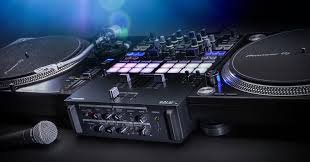
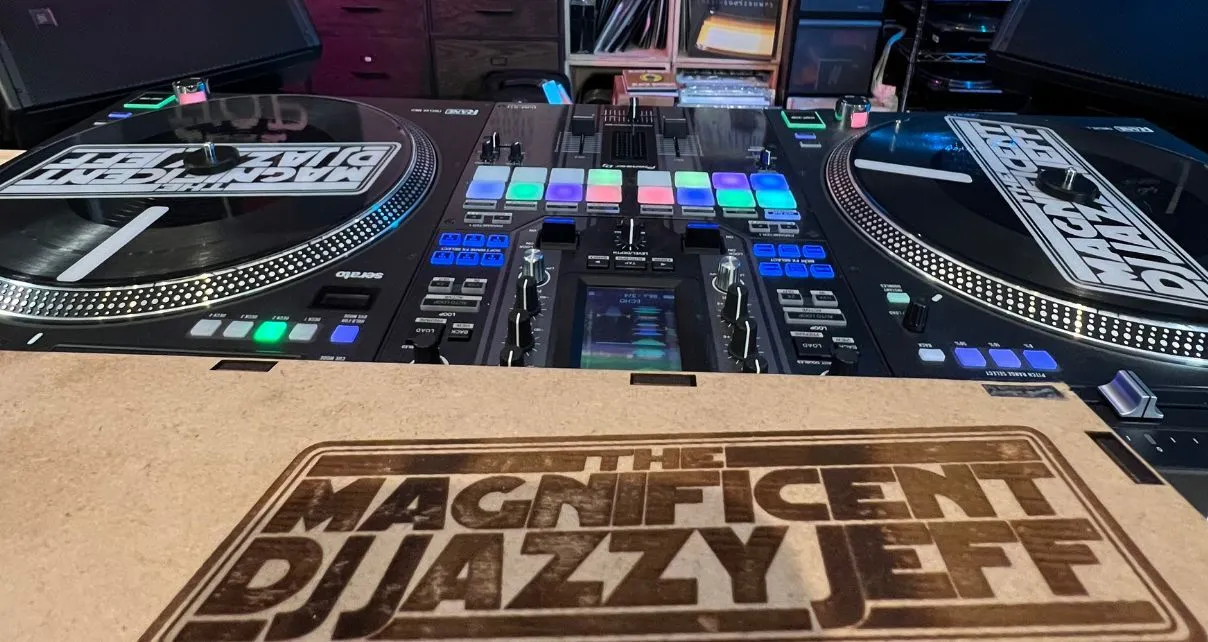
    A DJ controller can complement your turntables by providing access to digital effects, performance pads, and looping features. Controllers like the Pioneer DDJ-XP2 or Native Instruments Traktor Kontrol X1 are compact and integrate seamlessly into a vinyl setup.

    How to Use a Controller:

    • Trigger hot cues and loops to enhance transitions.
    • Apply effects like reverb, echo, or filters to both vinyl and digital tracks.
    • Use the controller to manage your DJ software while focusing on vinyl manipulation.

    4. Integrate a Laptop for Hybrid Mixing

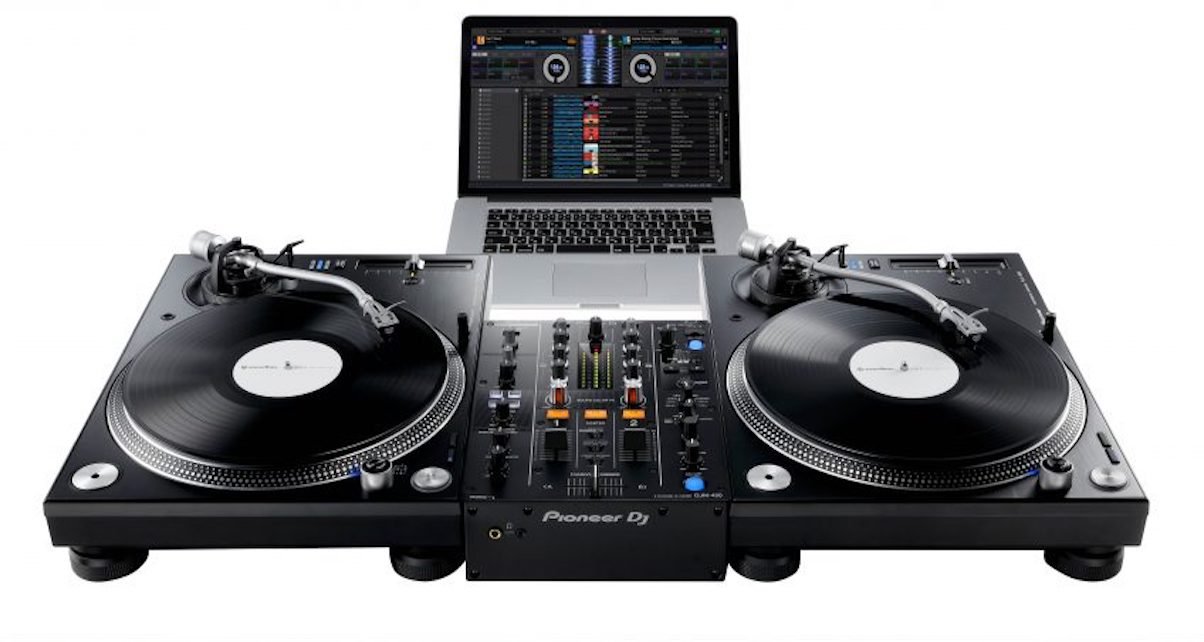
    A laptop is essential for running DJ software and managing your digital library. However, it’s important to maintain focus on your turntables to keep the analog experience alive.
    How Vinyl DJs Can Incorporate Digital Tools into Their Sets
    How Vinyl DJs Can Incorporate Digital Tools into Their Sets

    Tips for Laptop Use:

    • Position your laptop on a stand at eye level for easy access without distraction.
    • Use keyboard shortcuts or a dedicated controller to minimize reliance on the laptop’s trackpad.
    • Organize your digital library to quickly find tracks during a live performance.

    5. Utilize Digital Effects Processors

    Standalone effects processors can add modern flair to your vinyl sets. These devices allow you to manipulate sound in real-time without needing a full digital setup.

    Popular Effects Processors:

    • Pioneer RMX-1000
    • Korg Kaoss Pad

    Effects to Experiment With:

    • Delay and echo for atmospheric transitions.
    • Flanger and phaser for unique sound textures.
    • Filters to emphasize specific frequencies in a track.

    6. Sync Vinyl with Digital Tracks

    Mixing vinyl with digital tracks requires careful beatmatching, but some tools can simplify the process:

    • Phase DJ: This wireless system eliminates the need for traditional needles and allows precise control over digital tracks with vinyl.
    • Sync Features: Use the sync feature in your DJ software to match the BPM of a digital track to your vinyl record.

    7. Enhance Your Setup with Timecode Vinyl

    Timecode vinyl plays a critical role in modern hybrid DJing. These special records send a timecode signal to your DJ software, enabling you to control digital tracks with turntables.

    Advantages of Timecode Vinyl:

    • Accurate tracking of digital files using traditional vinyl techniques.
    • Scratch and manipulate digital tracks as if they were physical records.
    • Seamless integration with your existing turntables and mixer.

    8. Experiment with Live Sampling and Looping

    Digital tools open the door to creative techniques like live sampling and looping, which can add depth to your sets.

    Tips for Live Sampling:

    • Use a sampler to capture loops from vinyl records in real time.
    • Layer samples over tracks for a unique sound.
    • Combine vinyl scratches with digital samples for dynamic transitions.

    9. Preserve the Analog Experience

    While digital tools offer convenience and flexibility, maintaining the authenticity of vinyl is key. Here’s how to balance the two:

    • Focus on the Vinyl Aesthetic: Highlight the physical act of cueing, scratching, and mixing records.
    • Minimize Screen Time: Avoid spending too much time on your laptop during a set.
    • Embrace Imperfections: Vinyl’s warmth and occasional pops add character to your performance.

    10. Practice with Your Hybrid Setup

    Mastering a hybrid DJ setup requires practice to ensure smooth transitions between vinyl and digital.

    Practice Tips:

    • Familiarize yourself with your software’s interface and features.
    • Experiment with different combinations of vinyl and digital tracks.
    • Record your practice sessions to identify areas for improvement.

    Conclusion

    Incorporating digital tools into a vinyl DJ setup allows you to enjoy the best of both worlds. By combining the tactile, authentic feel of vinyl with the versatility and innovation of digital technology, you can create dynamic and unique performances that stand out in any venue. Whether you’re a seasoned vinyl DJ or just starting your hybrid journey, these tips will help you elevate your craft and adapt to the modern DJing landscape.

  • The Role of Turntables in Modern DJing

    The Role of Turntables in Modern DJing

    Turntables have long been a core part of DJ culture, and they remain a central piece of equipment for many DJs today. While digital controllers and software have grown in popularity, turntables continue to provide a unique and tactile experience that digital gear can’t replicate. DJs use them to manipulate music, express creativity, and maintain a deep connection to the craft. In this post, we’ll explore the role of turntables in modern DJing, their advantages, and why they remain relevant in today’s scene.

    The Role of Turntables in Modern DJing
    The Role of Turntables in Modern DJing

    1. Vinyl DJing: A Hands-On Experience

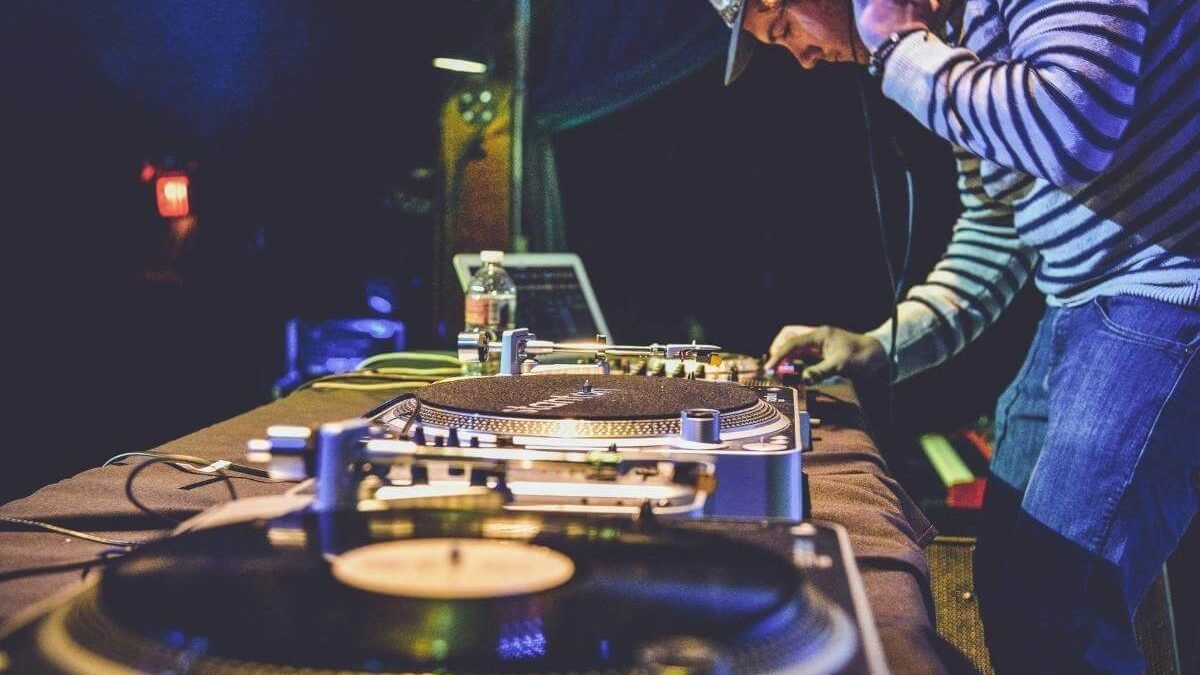
    Turntables remain at the heart of vinyl DJing, a craft rooted in the early days of DJ culture. DJs use turntables to manipulate vinyl records, creating mixes that involve scratching, cueing, and beatmatching. Unlike digital controllers, which rely on software to sync tracks, vinyl allows DJs to physically interact with the music. They feel the grooves of the record, adjusting speed and tone in real-time.

    Though digital DJing has risen in popularity, vinyl DJing offers a hands-on experience that still appeals to many. Turntables let DJs fine-tune tempo and tone manually, giving them more control over the performance. This connection to the music remains vital, especially in genres like hip hop, house, and techno.

    2. Scratching and Creative Manipulation

    Turntables excel in scratching, a technique where DJs move the record back and forth to create rhythmic sounds and effects. This skill is central to hip hop and turntablism, where DJs use scratching for emphasis, texture, and rhythm.

    Modern DJs still use turntables for live manipulation, such as backspinning, looping, and beat juggling. These techniques allow DJs to creatively control the music during performances. The tactile nature of turntables gives them a unique advantage, allowing for live, hands-on manipulation that digital equipment often can’t replicate.

    Many DJs also use scratching and other turntable techniques to bring energy and personality into their sets. While digital controllers offer convenience, turntables let DJs maintain a raw, authentic vibe.

    3. Vinyl Records and Sound Quality

    Though digital files dominate the modern music landscape, many DJs still prefer the sound of vinyl records. Vinyl offers a warm, rich audio quality that many argue digital formats can’t match. DJs who use turntables benefit from the analog sound that vinyl provides, which adds depth and warmth to their mixes.

    In today’s world, DJs often use hybrid setups, combining turntables with digital controllers or software. This setup allows them to spin vinyl while also accessing digital tracks. DJs get the best of both worlds: the tactile feel of vinyl and the convenience of digital libraries.

    Some DJs focus on vinyl-only performances, where every track comes from a vinyl record. These performances showcase the true artistry of turntablism, focusing on the craft and nostalgia of spinning records. Even in a digital age, the connection between DJ and vinyl remains crucial for many.

    4. Turntables in Modern DJ Equipment

    Despite the rise of digital DJing, turntables still play a major role in professional setups. High-quality turntables, such as the Technics SL-1200, are revered for their reliability, precision, and durability. These turntables provide DJs with smooth rotation, accurate pitch control, and consistent torque, all essential for precise beatmatching.

    Many modern DJs pair turntables with DVS systems (Digital Vinyl Systems), like Serato DJ or Traktor Scratch. These systems let DJs use vinyl records to control digital files on their laptops, giving them the tactile feel of vinyl with the flexibility of digital tracks. A hybrid setup allows DJs to blend analog techniques with the convenience of digital libraries.

    While traditional turntables still hold strong in the DJ world, DVS systems help DJs adapt to the digital age without sacrificing the authenticity of vinyl. This combination keeps turntables relevant in the evolving world of DJing.

    5. The Turntable as a Cultural Icon

    Turntables are not only essential tools; they are also cultural symbols in the DJ and music world. They represent the roots of hip hop, electronic music, and DJ culture. Turntablism, the art of using turntables as instruments, continues to influence modern DJs.

    Today’s top DJs, such as Q-Bert and Richie Hawtin, often credit turntables for shaping their careers. For many, turntables embody the creativity and skill at the heart of DJing. The culture of turntablism lives on, even as technology evolves, highlighting the turntable’s enduring influence.

    Beyond the performance aspect, turntables also appear as iconic symbols in music, art, and design. They represent a commitment to the craft and the tradition of DJing. For collectors, owning a high-quality turntable isn’t just about functionality—it’s also about preserving the legacy of DJ culture.

    Conclusion: The Timeless Role of Turntables

    Turntables continue to play an indispensable role in modern DJing. Whether used for scratching, beatmatching, or simply enjoying the analog sound of vinyl, turntables offer a hands-on, authentic experience that digital setups can’t replicate. They are vital for DJs who want to stay connected to the roots of the craft, and they remain a powerful tool for live performance and creative expression.

    As technology advances, turntables evolve alongside it. Many DJs now use hybrid setups, blending the tactile feel of vinyl with the flexibility of digital tools. The turntable has proven its relevance, adapting to new trends while maintaining its position as a symbol of DJ culture and creativity.


  • Tips for Playing Vinyl in a Digital World

    Tips for Playing Vinyl in a Digital World

    In today’s digital age, the art of playing vinyl records remains a cherished tradition among DJs. Vinyl offers a tactile and authentic experience that digital setups often cannot replicate. However, modern DJs must find ways to balance the charm of vinyl with the convenience of digital tools.

    Whether you’re an experienced DJ looking to integrate vinyl into your digital workflow or a beginner exploring analog for the first time, this guide provides essential tips to help you play vinyl records effectively in a digital world.


    1. Understand the Basics of Vinyl DJing

    Vinyl DJing requires a unique skill set compared to digital DJing. Here are a few foundational tips:

    • Manual Beatmatching: Unlike digital setups that offer sync buttons, mixing vinyl requires listening and manually adjusting the pitch to align beats.
    • Cueing Tracks: Use your headphones to cue the next track and find the exact starting point by physically moving the record.
    • Handling Records: Always hold vinyl records by the edges to avoid scratching the surface or leaving fingerprints that can degrade sound quality.

    2. Invest in High-Quality Turntables

    To play vinyl effectively, start with a reliable direct-drive turntable. These are preferred for DJing due to their durability and precision.

    Recommended Turntables for Vinyl DJs:

    • Technics SL-1200/1210: The gold standard in DJ turntables, known for their robust build and precise performance.
    • Audio-Technica AT-LP140XP: A more affordable yet high-quality option for vinyl DJs.
    • Pioneer PLX-1000: A modern turntable designed for DJs, offering excellent sound quality and performance.

    When choosing a turntable, ensure it has adjustable pitch control and a durable tonearm.


    3. Choose the Right Cartridges and Needles

    Your cartridge and needle (stylus) play a crucial role in sound quality and record preservation. There are two main types of cartridges: spherical and elliptical.

    • Spherical Needles: These are more durable and better for scratching and back-cueing.
    • Elliptical Needles: These provide higher sound fidelity but are more delicate.

    Brands like Ortofon and Shure are popular among vinyl DJs. Regularly clean and replace your stylus to maintain optimal sound quality.


    4. Incorporate Digital Tools with Vinyl

    You don’t have to choose between analog and digital—modern technology allows you to blend both worlds seamlessly.

    Digital-Vinyl Systems (DVS):

    • A DVS setup lets you play digital files on your laptop using vinyl records that control the music. Popular DVS options include:
      • Serato DJ Pro with Serato Control Vinyl
      • Traktor Scratch Pro
      • Rekordbox DVS

    With DVS, you can mix traditional records with digital tracks, offering greater flexibility while preserving the tactile feel of vinyl.

    Tips for Playing Vinyl in a Digital World
    Tips for Playing Vinyl in a Digital World

    5. Optimize Your Sound System

    Vinyl records produce analog signals that can be sensitive to interference. To ensure the best sound quality:

    • Use a Phono Preamp: Many turntables require a phono preamp to amplify the signal for playback. Some mixers have built-in preamps; otherwise, you’ll need an external one.
    • Minimize Vibration: Place your turntables on a sturdy, level surface to avoid skipping caused by vibrations. Isolation pads or feet can help reduce feedback.
    • Match Levels: Balance the audio levels between vinyl and digital tracks to avoid noticeable differences during your set.

    6. Maintain and Preserve Your Vinyl Collection

    Taking care of your vinyl records is essential to ensure longevity and consistent sound quality.

    • Clean Records Regularly: Use a vinyl cleaning solution or anti-static brush to remove dust and dirt before each use.
    • Store Records Properly: Keep records in protective sleeves and store them upright in a cool, dry place away from direct sunlight.
    • Avoid Overplaying: Overplaying the same record can cause wear and tear. Rotate your collection to give records a break.

    7. Learn How to Mix Vinyl and Digital Tracks

    Blending vinyl with digital tracks can create unique and dynamic sets. Here’s how to do it effectively:

    • Sync BPMs: Manually beatmatch vinyl tracks with digital tracks using your controller or mixer.
    • Use Visual Aids: Software like Serato or Rekordbox provides BPM and waveform displays to help you align tracks.
    • Practice Transitions: Smoothly transitioning between vinyl and digital requires precision. Use EQ adjustments to blend tracks seamlessly.

    8. Embrace the Vinyl Aesthetic in Your Sets

    One of the biggest advantages of vinyl is its visual and tactile appeal. Highlight this by:

    • Using Colored or Custom Records: Eye-catching records add a visual element to your performance.
    • Displaying Album Art: Incorporate vinyl covers into your booth design to connect with the audience and showcase your collection.
    • Scratching and Turntablism: Use vinyl to showcase classic DJ techniques like scratching and beat juggling, which stand out in a digital-heavy scene.

    9. Stay Flexible and Adaptable

    While vinyl offers a unique charm, it’s essential to stay flexible as a modern DJ. Digital tools can make your workflow more efficient, and integrating both mediums allows you to cater to different venues and crowds.

    • Backup Your Setup: Always have digital backups of your vinyl collection in case of record damage or equipment failure.
    • Experiment with Effects: Combine analog warmth with digital effects for creative mixes.

    10. Practice, Practice, Practice

    Mastering vinyl DJing takes time and patience. Regular practice will help you develop confidence in beatmatching, cueing, and mixing vinyl with digital tracks.


    Conclusion

    Playing vinyl in a digital world allows you to honor the art form’s roots while embracing modern technology. By investing in quality equipment, maintaining your records, and integrating digital tools, you can enjoy the best of both worlds and elevate your DJing skills. Whether you’re spinning at home or performing at a club, vinyl remains a timeless and captivating medium for DJs everywhere.

  • How to Choose the Best DJ Equipment for Beginners

    How to Choose the Best DJ Equipment for Beginners

    Starting your journey as a DJ can be exciting, but the vast range of equipment available can make it overwhelming to know where to begin. The good news is that you don’t need to break the bank or get complex gear to get started. With the right DJ equipment, beginners can quickly dive into mixing, learning, and practicing the craft.

    This guide will walk you through the best DJ equipment for beginners, explain the must-have gear, and offer tips on choosing the right setup that matches your skills and goals. Whether you’re planning to DJ at home, practice for parties, or start building a professional setup, the following steps will set you on the right path.


    1. DJ Controller: The Heart of Your Setup

    The DJ controller is the most essential piece of equipment for any beginner DJ. It acts as the interface between you and the DJ software on your computer, making it possible to mix music digitally. DJ controllers are an all-in-one solution, combining a mixer, decks, and performance pads into a compact unit.

    What to Look for in a DJ Controller:

    • Compatibility with Software: Make sure the controller is compatible with DJ software like Serato, Rekordbox, or Traktor. Some controllers come bundled with software, which is a bonus for beginners.
    • Two Decks: As a beginner, opt for a two-deck controller. Two decks are enough for learning the basics of beatmatching and mixing.
    • Portability: Choose a controller that’s easy to transport, especially if you plan to practice at different locations.
    • User-Friendliness: Look for a controller with a simple interface and intuitive controls. Avoid overly complex models until you get more comfortable with the basics.

    Recommended DJ Controllers for Beginners:

    • Numark Mixtrack Pro FX: This controller is affordable, user-friendly, and comes with great software, making it perfect for beginners.
    • Pioneer DDJ-400: Known for its beginner-friendly design, the DDJ-400 is a great choice for those starting their DJ journey with Rekordbox.
    • Hercules DJControl Inpulse 200: A budget-friendly option with built-in tutorials to help beginners learn the ropes quickly.

    2. DJ Mixer: Controlling the Sound

    The DJ mixer is where you manipulate the audio of your tracks, adjusting volume, EQ (bass, mid, treble), and adding effects. While some DJ controllers have built-in mixers, standalone mixers are an option for those looking for more flexibility.

    What to Look for in a DJ Mixer:

    • EQ Controls: You need basic EQ knobs to shape the sound of each track. Look for a mixer with at least three EQ knobs (bass, mid, treble).
    • Crossfader: A crossfader allows you to smoothly transition between two tracks. Make sure it’s easy to use and durable.
    • Build Quality: As a beginner, a mixer with solid construction is important to avoid issues like loose knobs or faders.
    How to Choose the Best DJ Equipment for Beginners
    How to Choose the Best DJ Equipment for Beginners

    Recommended DJ Mixers for Beginners:

    • Behringer DJX750: A highly affordable and well-built mixer, offering a great set of features for beginner DJs.
    • Pioneer DJM-250MK2: A more premium option with excellent sound quality and features for DJs who want to take their skills to the next level.
    • Numark M2: A simple, no-frills mixer that offers a reliable performance at a beginner-friendly price.

    3. DJ Headphones: Critical for Cueing and Monitoring

    Headphones are essential for a DJ to hear the next track while mixing the current one. Good headphones will help you beatmatch, preview tracks, and make smooth transitions between songs.

    What to Look for in DJ Headphones:

    • Sound Isolation: Look for headphones with a closed-back design, which provides better sound isolation in noisy environments.
    • Comfort: Comfort is key for long practice sessions or gigs. Choose headphones with padded ear cups and adjustable headbands.
    • Durability: DJ headphones undergo heavy use, so pick a pair that’s built to last with a sturdy design and replaceable cables.

    Recommended DJ Headphones for Beginners:

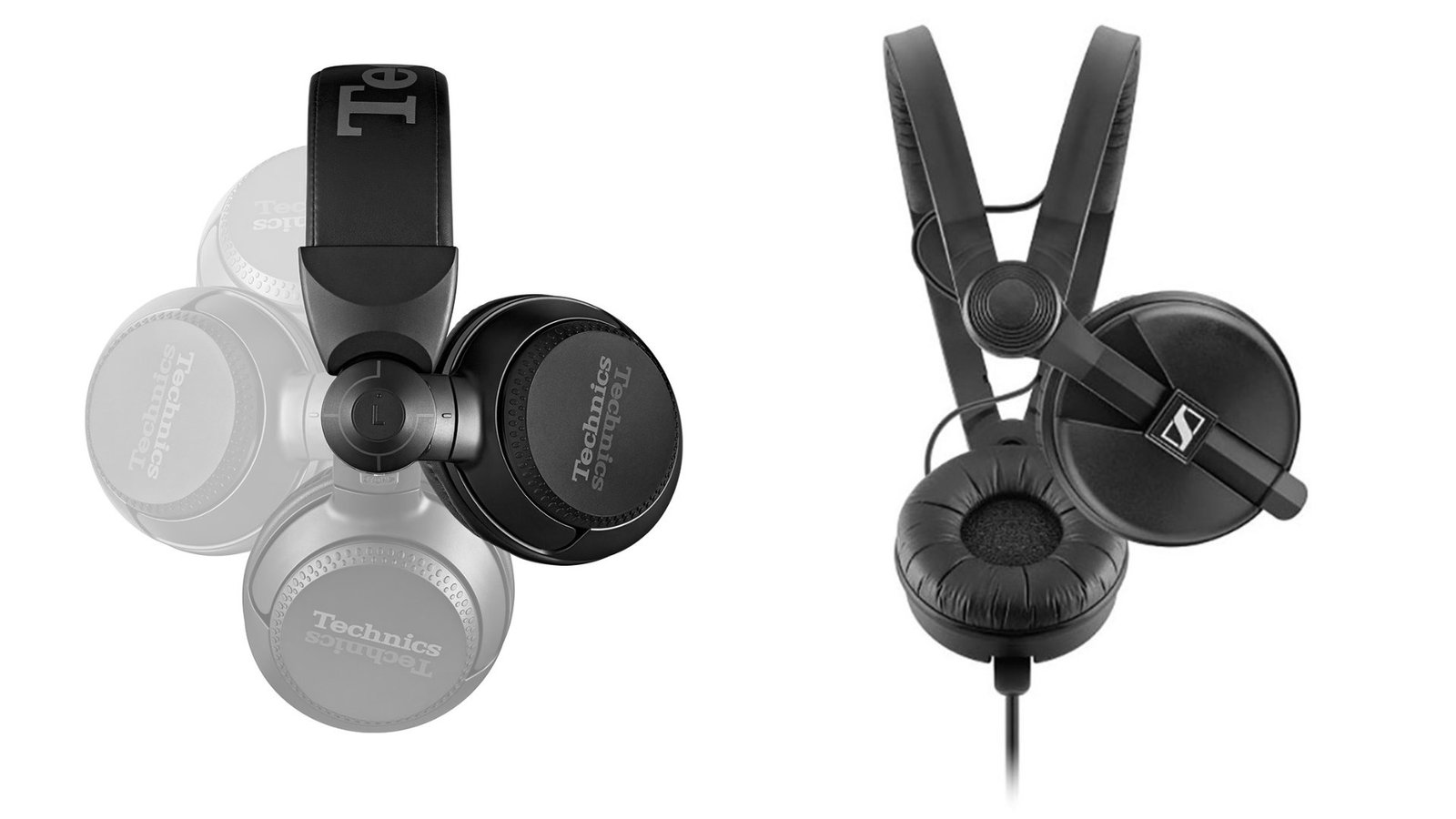
    • Sennheiser HD 25: Renowned for its excellent sound quality and durability, this model is a go-to choice for many beginner and professional DJs.
    • Audio-Technica ATH-M50x: A versatile, well-rounded headphone with excellent sound isolation and comfort.
    • Pioneer HDJ-X5: A solid entry-level DJ headphone from a trusted brand, offering durability and great sound quality.

    4. Speakers: Good Sound is Key

    For practicing at home, you’ll need a pair of speakers to listen to your mixes and check the sound quality. High-quality sound is essential for hearing the full depth of your music.

    What to Look for in DJ Speakers:

    • Clear Sound: Choose speakers that offer clear, balanced sound across the frequency range. Avoid speakers with exaggerated bass that can make mixing difficult.
    • Power: You don’t need super high-powered speakers when starting out, but make sure the speakers are loud enough to hear your mixes clearly.
    • Portability: If you plan on taking your speakers to gigs or events, choose speakers that are portable and easy to set up.

    Recommended DJ Speakers for Beginners:

    • Mackie CR3: Compact, affordable, and with decent sound quality, these speakers are perfect for practicing at home.
    • Edifier R1280T: These bookshelf speakers provide great sound quality at an affordable price for beginners.
    • Behringer MS16: Another affordable option, these speakers are ideal for DJs starting out with a budget.

    5. Laptop or Computer: The Brain of Your DJ Setup

    You’ll need a laptop or computer to run DJ software and organize your music library. The laptop is the central hub for managing your tracks and using digital effects to enhance your mixes.

    What to Look for in a Laptop:

    • Processor and RAM: A good processor (i5 or better) and at least 8GB of RAM are important to handle the demands of DJ software without lag or freezing.
    • Storage Space: Make sure you have enough storage for your music library. An external hard drive may be a good investment as well.
    • Compatibility with Software: Ensure the laptop is compatible with your DJ software of choice (Serato, Traktor, Rekordbox, etc.).

    Recommended Laptops for Beginner DJs:

    • Apple MacBook Air: Lightweight, reliable, and powerful enough for DJing software, it’s a great choice for DJs who prefer MacOS.
    • Microsoft Surface Laptop: A versatile, powerful laptop that works well with DJ software and offers portability.
    • Dell Inspiron 15: A solid Windows option with a good balance of performance and price.

    6. Cables and Accessories: The Hidden Essentials

    Don’t forget the importance of cables and accessories in your DJ setup. Without proper cables, your gear won’t connect properly, which can be frustrating during performances or practice.

    What to Look for in Cables:

    • Durability: Opt for high-quality, durable cables that can handle frequent use.
    • Length: Ensure your cables are long enough to connect your equipment, but not too long to cause unnecessary clutter.
    • Spare Cables: Always have backup cables on hand in case of failure.

    Recommended Accessories:

    • Cable Ties for organization.
    • Headphone Splitter for monitoring your mix with multiple outputs.
    • Laptop Stand to keep your equipment organized.

    Conclusion

    Choosing the best DJ equipment for beginners doesn’t have to be overwhelming. By focusing on the core essentials like a DJ controller, mixer, headphones, speakers, and a reliable laptop, you can create a solid foundation for learning and improving your skills. The right gear will not only help you get started but also ensure that you enjoy the process as you master the art of DJing. By investing in the right equipment and taking time to practice, you’ll be well on your way to becoming a proficient DJ!

  • How to Maintain and Clean DJ Equipment

    How to Maintain and Clean DJ Equipment

    DJ equipment is an investment, and like any valuable gear, it requires regular maintenance and care to ensure it performs at its best. Proper cleaning and upkeep can extend the lifespan of your gear, keep it running smoothly, and save you from costly repairs or replacements. Whether you’re using turntables, controllers, mixers, or headphones, each piece of equipment needs special attention. In this guide, we’ll walk you through the best practices for maintaining and cleaning your DJ equipment.

    How to Maintain and Clean DJ Equipment
    How to Maintain and Clean DJ Equipment

    1. Cleaning Your DJ Controller

    Your DJ controller is one of the most frequently used pieces of gear, so keeping it clean is essential. Over time, dust, sweat, and oils from your hands can accumulate on the buttons, faders, and knobs, leading to a sticky or unresponsive surface. To clean your controller:

    • Turn off and unplug the controller to avoid any electrical issues.
    • Use a microfiber cloth to wipe down the entire surface. Microfiber is gentle and will not scratch the surface.
    • For stubborn dirt, lightly dampen the cloth with water or isopropyl alcohol (preferably 70% or higher) and gently wipe down the buttons and knobs.
    • Avoid spraying liquids directly on the controller. Always apply liquid to the cloth, not the device.
    • For the jog wheels, use a compressed air can to blow out any debris, especially if you notice any resistance while using them.

    By cleaning your controller regularly, you’ll keep it looking new and ensure that its buttons and knobs respond as expected during your performance.

    2. Maintaining Your Turntables

    If you’re using turntables in your setup, it’s important to maintain both the tonearm and the platter. These parts are crucial for vinyl DJing, and neglecting them can lead to poor sound quality or damage to your vinyl records. Here’s how to care for them:

    • Clean the platter: Use a soft, damp cloth to wipe down the platter. Avoid harsh cleaning products. For deeper cleaning, use isopropyl alcohol (again, 70% or higher) on a cloth to remove any sticky substances or grease.
    • Dust the tonearm: Gently clean the tonearm with a soft cloth, but be careful not to touch the cartridge or stylus.
    • Keep the stylus clean: Use a stylus cleaning brush to remove any dust or dirt from the needle. Gently brush in the direction of the needle, not against it.
    • Check for scratches: Regularly inspect the stylus for wear or damage. A worn stylus can ruin your records, so replace it when necessary.
    • Keep your records clean: Vinyl records should be cleaned with a record cleaning brush or a record cleaning machine. Dust and dirt can damage both the vinyl and the stylus, so maintaining your collection is vital.

    Proper maintenance will help extend the lifespan of your turntables and ensure a smooth, high-quality sound.

    3. Cleaning Your DJ Mixer

    A DJ mixer is exposed to lots of hands-on interaction, and over time, dust, sweat, and dirt can affect its performance. To clean your mixer:

    • Unplug the mixer from any power sources and sound systems.
    • Use a microfiber cloth to wipe down the surface of the mixer, including the knobs, faders, and buttons.
    • For faders and knobs that feel sticky, you can use a contact cleaner spray designed for electronic equipment. Spray it on a cloth and gently wipe the fader or knob.
    • Clean the connections: Use a can of compressed air to blow out dust from the input/output ports and the area around the faders. This helps prevent debris from causing electrical issues.
    • Don’t forget the cables: Wipe down your cables with a cloth to remove dirt and dust. Make sure the cables are properly coiled and stored to avoid wear and tear.

    Regularly cleaning your mixer ensures that it performs at its best and prevents buildup that could damage the internal components.

    4. Maintaining DJ Headphones

    DJ headphones are one of the most personal pieces of equipment for a DJ, so it’s important to keep them in top shape. To clean and maintain your headphones:

    • Clean the ear cups: Use a microfiber cloth to gently wipe the ear cups. If they are very dirty, you can lightly dampen the cloth with water or isopropyl alcohol.
    • Sanitize the ear pads: For ear pads made of leather or synthetic materials, use a mild leather cleaner or a non-alcoholic cleaning solution to clean them. If your ear pads are removable, it’s a good idea to clean them separately.
    • Check the headband: Wipe down the headband with a dry cloth. Be sure to inspect it for any wear or cracks.
    • Protect your headphones: When not in use, store your headphones in a protective case to avoid damage from dust, moisture, or physical wear.
    • Replace ear pads when needed: Over time, ear pads can wear out, causing discomfort and sound isolation issues. Make sure to replace them when they start to lose their cushion or become cracked.

    Taking care of your headphones will ensure clear, accurate sound during your performances and extend the life of your gear.

    5. Storing and Protecting Your Gear

    Proper storage and protection of your DJ equipment is key to ensuring its longevity. Here are some tips for keeping your gear safe:

    • Use protective cases: Invest in hard cases or padded bags to protect your gear during transport. This is especially important for sensitive equipment like turntables and mixers.
    • Store in a clean, dry place: Avoid storing your equipment in areas that are too hot, cold, or humid. Excessive moisture can damage electrical components, while heat can cause overheating.
    • Cover your equipment: When not in use, cover your gear with a dust cover or cloth to prevent dust buildup. This helps keep the components clean and functioning properly.
    • Avoid stacking equipment: If you store your gear in a cabinet or on a shelf, avoid stacking heavy equipment on top of lighter items like headphones or controllers. The added weight could cause damage over time.

    By properly storing your equipment, you can protect it from unnecessary wear and extend its life.

    Conclusion: Caring for Your DJ Gear

    Maintaining and cleaning your DJ equipment is essential to ensuring it performs at its best and lasts for years. Regularly cleaning controllers, turntables, mixers, and headphones will keep your gear in top condition, improve your sound quality, and prevent issues during performances. Remember to invest in protective cases, store your equipment in a safe, clean environment, and take the time to regularly check for signs of wear.

    With these simple maintenance practices, you’ll keep your DJ equipment performing at its peak, so you can focus on delivering incredible mixes.


  • Essential Features to Look for in DJ Mixers

    Essential Features to Look for in DJ Mixers

    A DJ mixer is one of the most important pieces of equipment in your DJ setup. It allows you to blend, manipulate, and transition between tracks, making it essential for any DJ performance. Whether you’re a beginner or a seasoned professional, selecting the right DJ mixer can make a significant difference in the quality of your sets. In this guide, we’ll explore the essential features to look for in a DJ mixer to help you make an informed choice.

    Essential Features to Look for in DJ Mixers
    Essential Features to Look for in DJ Mixers

    1. Number of Channels

    The first feature to consider when choosing a DJ mixer is the number of channels. A channel refers to each audio input on the mixer where you can connect a turntable, CDJ, or other audio source. Most basic mixers have 2 channels, which is perfect for DJs who are just starting out and plan to mix two tracks at once.

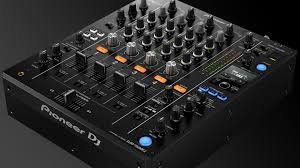
    For more advanced DJs who perform with multiple devices or need more versatility, mixers with 3 or 4 channels are ideal. A 4-channel mixer, such as the Pioneer DJ DJM-450, allows you to mix more sources (e.g., multiple turntables, a laptop, and a sampler) simultaneously. When choosing a mixer, consider how many devices you plan to connect to it, and choose accordingly.

    2. EQ Controls

    EQ controls (equalization) allow you to adjust the bass, midrange, and treble frequencies of each channel. This feature is essential for shaping the sound of your tracks, ensuring they blend seamlessly, and cutting through the mix.

    Most DJ mixers have a 3-band EQ (bass, mid, treble), but some high-end mixers offer a 4-band EQ for more precise control. Look for smooth, responsive EQ knobs that are easy to use during live performances. A mixer with good EQ controls lets you fine-tune your mix, create dynamic transitions, and adapt to different music genres and room acoustics.

    3. Faders and Crossfader

    Faders control the volume of each channel, while the crossfader allows you to blend or fade between two tracks, typically on channels 1 and 2. A smooth, responsive fader and crossfader are critical for flawless mixing. When selecting a DJ mixer, ensure that the faders feel comfortable to use and have a smooth, consistent motion.

    Some mixers feature replaceable crossfaders, which are helpful if you plan on using the mixer for scratching or aggressive transitions. Pioneer DJ mixers, like the DJM-900NXS2, offer high-quality, durable faders and crossfaders designed to withstand heavy use.

    4. Built-in Effects

    Many modern DJ mixers come with built-in effects that add flair and creativity to your set. These effects can range from simple filters to complex delays, reverb, and beat-synced effects. Having effects at your fingertips allows you to manipulate the sound in real time, adding dramatic moments to your performance.

    When selecting a mixer, check the number and variety of built-in effects. Some mixers, like the Allen & Heath Xone:96, offer high-quality effects with deep customization, while others may have simpler, more straightforward options. Make sure the mixer has enough effects to enhance your mixes without overwhelming you.

    5. Sound Quality and Headroom

    Sound quality is one of the most critical aspects of any DJ mixer. The better the sound quality, the more professional your mix will sound. Look for mixers with high-resolution audio circuitry and ample headroom, which ensures clear, distortion-free sound even when playing at loud volumes.

    A good mixer should offer a clean signal path and low noise levels. Many high-end mixers use 24-bit/96kHz audio resolution, which provides a wider dynamic range and better overall sound fidelity. For example, the Rane Seventy-Two offers excellent sound quality with minimal distortion, making it a top choice for professionals.

    6. Input and Output Options

    The input and output options on your mixer are crucial for connecting your devices and sending your audio to speakers or recording equipment. Look for mixers with various input options such as RCA, XLR, and TRS (1/4-inch) connectors, so you can easily connect turntables, CDJs, laptops, or external sound sources.

    For outputs, make sure your mixer has the necessary connections to send audio to speakers or an external sound system. Master output and booth output are standard, and a record out connection can be useful for recording your mixes. Additionally, check if the mixer includes USB connectivity for digital DJing with software like Serato, Rekordbox, or Traktor.

    7. Build Quality and Durability

    Since DJ mixers are used in high-pressure environments, build quality and durability are essential. You want a mixer that can withstand frequent transport and long hours of use. Look for a mixer with a solid metal or reinforced plastic chassis, as well as durable knobs and faders.

    A mixer with a rugged design will last longer and perform better under demanding conditions. Popular brands like Pioneer DJ, Allen & Heath, and Rane are known for their durable, well-constructed mixers, which are designed to handle the wear and tear of live performances.

    8. Size and Portability

    The size and portability of your DJ mixer depend on how you plan to use it. If you’re primarily DJing at home, a larger, feature-rich mixer may be ideal. However, if you’re traveling to gigs or performing on the go, a more compact, lightweight mixer may be better suited for your needs.

    Some mixers, like the Pioneer DJ DJM-250MK2, offer a good balance between portability and features, making them perfect for mobile DJs who need to transport their gear frequently. When selecting a mixer, consider how much space you have available for your setup and how easy it is to transport.

    9. Software Compatibility

    Many modern DJ mixers are designed to work seamlessly with DJ software, allowing you to integrate digital files and control them directly from the mixer. Ensure that the mixer you choose is compatible with your preferred DJ software, such as Serato DJ, Rekordbox, or Traktor.

    Some mixers come with bundled software or have built-in sound cards, making it easy to plug and play. If you plan on using a laptop or digital setup, check if the mixer includes USB connectivity and supports your chosen software.

    Conclusion

    Choosing the right DJ mixer depends on your style, needs, and budget. Start by considering the number of channels you need, the quality of the EQ controls, and the types of effects you want to use. Pay attention to build quality, input/output options, and the durability of the mixer to ensure it can withstand the demands of live DJing.

    For beginners, a 2-channel mixer with basic EQ and effects may be all you need. However, as you advance, you may want to explore mixers with more channels, high-quality sound, and additional features like customizable effects. No matter which mixer you choose, make sure it fits your style, offers the functionality you need, and allows you to perform confidently.


  • How to Choose the Right DJ Headphones

    As a DJ, having the right headphones is essential for achieving a smooth and professional performance. DJ headphones help you cue tracks, beatmatch, and ensure seamless transitions during your set. With so many options available, choosing the right pair can be overwhelming, especially for beginners. In this post, we’ll guide you through the factors to consider when selecting DJ headphones, ensuring you find the perfect match for your needs and style.

    How to Choose the Right DJ Headphones
    How to Choose the Right DJ Headphones

    1. Sound Quality

    The first and most important factor to consider when choosing DJ headphones is sound quality. You need headphones that provide clear and accurate sound so you can hear all the details in your mixes. Look for headphones with a wide frequency response, typically between 20 Hz to 20,000 Hz, which ensures you can hear both deep bass and high treble clearly.

    DJ headphones should also have good noise isolation or even noise-canceling features. This will help you focus on your mix and block out any background noise from the crowd or environment. The Sennheiser HD 25 is a popular choice among DJs because of its excellent sound quality and isolation capabilities, even at high volumes.

    2. Comfort and Fit

    Since DJs often wear headphones for long periods of time, comfort is crucial. Look for headphones with soft ear cups, adjustable headbands, and lightweight designs to ensure they remain comfortable throughout your set. Over-ear headphones are generally more comfortable for extended wear compared to on-ear models, as they cover the entire ear and provide a better seal for sound isolation.

    Consider how the headphones feel when worn for an hour or more. Can you adjust the headband easily? Do the ear cups rest comfortably around your ears without pressing too hard? Comfort is key, so try different models on if possible before making a purchase.

    3. Durability and Build Quality

    DJs need headphones that can handle the rigors of regular use, especially during live events or gigs. Durability is one of the most important factors when choosing headphones. Look for models with a sturdy build, reinforced cables, and swivel or foldable ear cups for easy storage and portability.

    Materials like metal hinges, stainless steel, and high-quality plastic contribute to a headphone’s durability. The Audio-Technica ATH-M50X, for example, is known for its solid construction and long-lasting design, making it a favorite among both beginner and professional DJs.

    4. Swivel and Rotation Features

    One feature that sets DJ headphones apart from regular headphones is the ability to swivel or rotate the ear cups. DJs need this functionality to listen to the current track in one ear (cueing) while the other ear is focused on the mix. The ability to swivel or rotate the ear cups by 90 degrees (or more) is essential for cueing and beatmatching.

    Some models also feature foldable ear cups, which make them more compact and easy to store when not in use. Look for headphones with flexible ear cups that can be rotated in both directions for maximum comfort and convenience.

    5. Impedance and Power Handling

    When choosing the best DJ headphones, you should also pay attention to the impedance (measured in ohms) and power handling capacity. Impedance affects how much power the headphones require to reach optimal volume levels. Lower impedance headphones (e.g., 32 ohms) are generally more suitable for use with portable devices like smartphones or controllers, while higher impedance headphones (e.g., 80 ohms or more) work better with professional DJ equipment, such as mixers and amplifiers.

    Make sure the headphones you choose are compatible with the equipment you’re using, as mismatched impedance can lead to less-than-optimal sound quality or insufficient volume levels.

    6. Portability and Storage

    DJs often need to transport their gear to gigs or practice sessions. For this reason, portability and easy storage are essential. Look for headphones that are foldable, lightweight, and come with a carrying case or pouch for protection during travel.

    Some models, like the Pioneer HDJ-X5, feature rotating ear cups and a collapsible design, making them easy to pack and carry. A compact, durable case will also help protect your headphones from damage while you’re on the move.

    7. Price and Brand Reputation

    Finally, consider your budget when choosing DJ headphones. While you can find good-quality headphones at various price points, it’s essential to balance cost with performance. Entry-level headphones like the Sony MDR-7506 offer excellent sound and durability at a lower price, while higher-end models like the Sennheiser HD 25 or Audio-Technica ATH-M50X come with premium features and superior sound quality.

    Choose a reputable brand with a history of producing high-quality DJ gear. Brands like Pioneer DJ, Sennheiser, Audio-Technica, and AKG are known for making headphones that cater specifically to DJs, offering a perfect blend of performance, durability, and comfort.

    Conclusion: Finding the Right DJ Headphones

    Choosing the right DJ headphones comes down to prioritizing sound quality, comfort, durability, and functionality. For beginners, it’s essential to focus on a pair that offers solid performance at an affordable price. Look for headphones that are comfortable for long sessions, can withstand the demands of regular use, and provide clear, accurate sound.

    The Sennheiser HD 25, Audio-Technica ATH-M50X, and Pioneer HDJ-X5 are excellent options for both beginners and more experienced DJs, offering great sound, comfort, and durability. By considering your specific needs and preferences, you can find the perfect pair of DJ headphones that will help you deliver your best performance.


  • The Best DJ Controllers for Beginners

    The Best DJ Controllers for Beginners

    If you’re just starting out as a DJ, choosing the right controller is crucial to your learning experience. A DJ controller acts as the central hub for mixing, offering control over the music’s tempo, pitch, effects, and transitions. Fortunately, there are several DJ controllers available that offer a perfect balance between affordability, ease of use, and quality. In this post, we’ll explore some of the best DJ controllers for beginners, helping you make an informed decision as you begin your DJ journey.

    The Best DJ Controllers for Beginners
    The Best DJ Controllers for Beginners

    1. Pioneer DJ DDJ-400

    The Pioneer DJ DDJ-400 is one of the most popular DJ controllers for beginners, and for good reason. It offers an intuitive layout that mirrors the setup of professional Pioneer DJ equipment, allowing you to seamlessly transition to more advanced gear as you progress. The controller comes with Serato DJ Lite software, making it beginner-friendly while still providing plenty of features to help you grow as a DJ.

    With 16 performance pads, smooth jog wheels, and dedicated filters for each deck, the DDJ-400 gives you full control over your mixes. It also has a built-in soundcard, so you can easily plug it into your speakers or headphones. The DDJ-400’s affordability and reliable performance make it an excellent choice for new DJs.

    2. Numark Mixtrack Pro FX

    The Numark Mixtrack Pro FX is another fantastic option for beginner DJs looking for an affordable controller with all the essential features. It’s packed with 16 performance pads, large jog wheels, and a 24-bit audio interface for clear sound. The Mixtrack Pro FX comes with Serato DJ Lite, making it easy to start mixing without a steep learning curve.

    One of its standout features is the FX paddles, which allow you to apply effects in real time with a simple motion. This adds an extra layer of creativity to your sets without complicating the process. The Mixtrack Pro FX is lightweight, portable, and provides solid value for money—perfect for DJs just starting out.

    3. Hercules DJControl Inpulse 500

    The Hercules DJControl Inpulse 500 is a powerful, affordable controller designed specifically for beginners. What makes it stand out is its built-in Beatmatch Guide, which helps you learn how to beatmatch manually—an essential DJ skill. This feature provides visual cues on the controller, making it easier for beginners to align tracks and build seamless mixes.

    Equipped with large jog wheels, customizable pads, and an intuitive layout, the Inpulse 500 is perfect for DJs who want to learn traditional DJing techniques but with some modern convenience. It’s compatible with DJUCED software, which is both beginner-friendly and feature-rich, offering plenty of room to expand your skills.

    4. Native Instruments Traktor Kontrol S2 MK3

    For DJs looking for a more professional controller without breaking the bank, the Traktor Kontrol S2 MK3 is a great option. Native Instruments’ Traktor software is highly regarded in the DJ community, and the S2 MK3 integrates seamlessly with it. This controller offers high-quality jog wheels, large performance pads, and clear EQ controls.

    The S2 MK3 features Traktor Pro 3, which provides powerful mixing capabilities and advanced features such as looping, effects, and sampling. While it may have a steeper learning curve than some other beginner controllers, it’s a great long-term investment for anyone serious about DJing. The build quality and performance of the S2 MK3 make it ideal for both beginners and intermediate DJs.

    5. Denon DJ Prime Go

    If you’re looking for a portable, all-in-one DJ controller, the Denon DJ Prime Go is a unique option for beginners who want to take their setup anywhere. Unlike most controllers, the Prime Go is a standalone unit, meaning you don’t need a laptop to DJ with it. It has a built-in 7-inch touchscreen and offers all the essential controls for mixing.

    The Prime Go is compatible with Denon’s Engine OS, which is a user-friendly system designed for mobile DJing. While it’s a bit pricier than other entry-level controllers, it’s perfect for those who want the flexibility of a portable, laptop-free setup. The Prime Go is also great for DJs who plan to perform in various locations, as it’s compact and easy to transport.

    6. Rekordbox DDJ-200

    For beginner DJs who prefer to DJ using their smartphone or tablet, the Rekordbox DDJ-200 is an excellent choice. This controller works with Pioneer DJ’s Rekordbox software and is designed to connect seamlessly with mobile devices, allowing you to mix without needing a laptop.

    The DDJ-200 is compact, lightweight, and portable, making it ideal for DJs on the go. It’s also budget-friendly, so you won’t have to invest too much when you’re just getting started. With intuitive features like the Transition FX and a simple layout, the DDJ-200 helps new DJs learn the ropes of mixing while offering flexibility for mobile DJing.

    Conclusion: Choosing the Right DJ Controller for You

    Choosing the right DJ controller depends on your needs, preferences, and budget. The Pioneer DJ DDJ-400 is an excellent option for beginners who want a solid, affordable controller that feels professional. The Numark Mixtrack Pro FX is great for DJs looking for a controller with real-time FX controls, while the Hercules DJControl Inpulse 500 offers helpful learning tools to accelerate your DJ skills.

    For those looking to dive into more advanced features early on, the Traktor Kontrol S2 MK3 is a fantastic choice, while the Denon DJ Prime Go offers a portable, standalone solution. The Rekordbox DDJ-200 is perfect for DJs who want to start with a mobile setup.

    Ultimately, the best DJ controller for you is the one that fits your style, budget, and learning goals. Start with something simple, experiment, and as your skills grow, you can always upgrade to more advanced equipment. Happy DJing!


  • Essential DJ Gear: What Every DJ Needs

    Essential DJ Gear: What Every DJ Needs

    Whether you’re just starting out or a seasoned professional, having the right DJ gear is crucial to delivering a top-notch performance. The world of DJing can seem overwhelming with so many equipment options available, but there are a few must-have tools that every DJ needs to create seamless mixes, engage the crowd, and ensure their setup is both effective and efficient.

    In this guide, we’ll explore the essential DJ gear that every DJ should own. From the foundational equipment like controllers and mixers to the more specialized tools like headphones and speakers, this list will help you build a setup that suits your style and needs.


    1. DJ Controller

    A DJ controller is at the heart of every DJ’s setup, acting as the interface between the DJ and the music. It connects to your laptop or computer, allowing you to manipulate digital music files via DJ software.

    • Key Features to Look For: Multiple decks (2 or 4), responsive jog wheels, performance pads for triggering samples, effects, and loops, as well as EQ controls for mixing.
    • Top Picks: Pioneer DDJ-1000, Numark Mixtrack Pro FX, and Denon DJ Prime 4.

    DJ controllers are available in different sizes and configurations, catering to beginners, intermediate, and advanced DJs. For those starting out, a two-deck controller may suffice, while more experienced DJs often prefer four-deck controllers with built-in features like high-quality sound cards and onboard effects.


    2. DJ Mixer

    A DJ mixer is a vital piece of equipment that allows you to blend multiple audio signals together. It’s responsible for adjusting the volume, EQ, and adding effects to each track, ensuring a smooth transition between songs.

    • Key Features to Look For: Multiple channels for controlling different audio sources, crossfader for smooth transitions, EQ knobs to adjust bass, mids, and treble, and FX controls to enhance sound creatively.
    • Top Picks: Pioneer DJM-900NXS2, Allen & Heath Xone:96, and Behringer DJX750.

    Mixers range from basic two-channel models to more advanced four-channel versions for DJs who want to mix multiple tracks or even incorporate external instruments. The quality of your mixer impacts your ability to control the music and effects, making it a critical choice.


    3. Headphones

    DJ headphones are one of the most important tools for accurate mixing. DJs rely on headphones to listen to tracks in advance and cue up the next song before seamlessly transitioning it into the mix.

    • Key Features to Look For: Closed-back design for excellent noise isolation, swiveling ear cups for easy monitoring, and durable construction to withstand the demands of frequent use.
    • Top Picks: Sennheiser HD 25, Audio-Technica ATH-M50x, and Pioneer HDJ-X10.

    High-quality headphones are crucial for cueing up tracks, ensuring that the mix sounds just right before you bring it into the performance. DJs need headphones that can deliver accurate sound reproduction and help them hear the finer details of their tracks.


    4. Speakers

    A good pair of DJ speakers is essential for ensuring the crowd hears every beat of your performance. Whether you’re performing in a small venue or a large club, choosing the right speaker setup is key to delivering a dynamic sound.

    • Key Features to Look For: High power handling, clear bass response, portability, and durability for transport.
    • Top Picks: QSC K12.2, JBL EON615, and Mackie Thump 15BST.

    For large venues, you may need a powered speaker system, which includes built-in amplification. Smaller setups might benefit from compact, portable speaker units that still deliver high-quality sound.

    Essential DJ Gear: What Every DJ Needs
    Essential DJ Gear: What Every DJ Needs

    5. Audio Interface

    An audio interface acts as the bridge between your DJ controller and your sound system. It ensures high-quality sound output and helps route audio signals from your equipment to the speakers.

    • Key Features to Look For: Multiple outputs for connecting different sound sources, high-resolution audio conversion, and low-latency performance.
    • Top Picks: Focusrite Scarlett 2i2, PreSonus AudioBox USB 96, and Native Instruments Komplete Audio 6.

    While many DJ controllers come with a built-in audio interface, some DJs prefer to use a dedicated interface for better sound quality and additional functionality.


    6. Laptop or Tablet

    Most modern DJ setups rely on DJ software that runs on a laptop or tablet. Your laptop serves as the central hub for mixing, controlling tracks, and organizing your music library.

    • Key Features to Look For: Fast processor, ample storage space, and compatibility with DJ software like Serato, Traktor, or Rekordbox.
    • Top Picks: Apple MacBook Pro, Microsoft Surface Pro 7, and Dell XPS 15.

    Ensure that your laptop has enough storage space to hold your entire music library, along with the performance power to handle live mixing without lag or glitches.


    7. Microphone

    While not always necessary, a microphone can be an essential addition to your DJ setup, especially for MCing or interacting with the crowd.

    • Key Features to Look For: Clear, crisp sound, adjustable levels, and durability.
    • Top Picks: Shure SM58, Audio-Technica AT2020, and Sennheiser e835.

    Microphones allow you to connect with the crowd, announce upcoming songs, or even perform live vocal elements during your DJ set.


    8. Cables and Accessories

    You can’t forget the importance of cables in your DJ setup. From power cables to audio cables, ensuring your setup is properly wired is crucial for smooth performances.

    • Key Features to Look For: High-quality cables to prevent signal loss or interference, extra cables in case of equipment failure, and cable management solutions.
    • Top Picks: Mogami Gold XLR Cables, ProCo Rat’s Nest, and Cable Management Ties.

    It’s essential to have backup cables and adapters for different setups to avoid any interruptions during your performance. Proper cable management ensures that your setup stays organized and tangle-free.


    9. Lighting and Effects

    While not strictly “essential” for all DJs, adding lighting and effects to your setup can help create a more dynamic and engaging atmosphere for the crowd.

    • Key Features to Look For: Adjustable lighting systems, DMX control, and portable setups.
    • Top Picks: Chauvet DJ GigBAR 2, ADJ Inno Pocket Spot, and Lixada LED DJ Lights.

    Depending on the venue, adding lights and effects to your performance can enhance the experience and create a more immersive environment.


    10. Carrying Cases and Stands

    Transporting your gear safely and securely is important for protecting your equipment while traveling. Carrying cases and stands make it easier to organize and set up your gear for gigs.

    • Key Features to Look For: Durable material, shock resistance, and ergonomic design for easy transport.
    • Top Picks: Odyssey DJ Cases, Pioneer DJT-S1 Stand, and Gator Cases.

    Having proper protection for your equipment can prevent damage and ensure that you arrive at your gig with everything in top condition.


    Conclusion

    Having the right DJ gear is essential to building a successful and dynamic performance. The equipment listed above forms the core of any DJ setup, providing you with everything needed to mix, manipulate, and present your music in the best possible way. Whether you’re just starting out or a seasoned professional, investing in quality gear that fits your style and needs will help you deliver impressive performances and elevate your DJing experience.

  • A Guide to DJ Controllers: Features and Differences

    A Guide to DJ Controllers: Features and Differences

    When it comes to modern DJing, DJ controllers have become essential tools for both beginners and professional DJs. Offering intuitive control over DJ software and hardware, these devices have revolutionized the way DJs interact with music. In this guide, we’ll dive into the key features and differences of DJ controllers, helping you choose the right one for your needs, whether you’re starting out or upgrading your setup.


    1. What is a DJ Controller?

    A DJ controller is a hardware device that allows DJs to manipulate music through software. It typically connects to a laptop or computer running DJ software like Serato, Traktor, or rekordbox. DJ controllers combine elements of traditional DJ gear such as turntables and mixers with modern digital technology, offering a streamlined and portable solution for DJing.


    2. Key Features of DJ Controllers

    Understanding the core features of a DJ controller is essential when selecting the right model for your setup. Here are some of the most important aspects to consider:

    a. Decks and Jog Wheels

    The primary function of a DJ controller is to provide deck control, allowing you to mix multiple tracks. Jog wheels are an integral part of this, offering a tactile, hands-on method to manipulate music.

    • Jog Wheels: These large, circular wheels are used for scratching, beatmatching, and pitch bending. Higher-end controllers often feature touch-sensitive jog wheels for more precise control.
    • Decks: Most DJ controllers have two or four decks, which can control separate tracks or channels simultaneously. The more decks a controller has, the more complex your mixing options become.

    b. Mixer Section

    A DJ controller’s mixer section mirrors the layout of a traditional DJ mixer, providing control over individual tracks, the overall mix, and audio effects.

    • EQ Controls: These knobs allow you to adjust the bass, mid, and treble frequencies of each track, giving you greater control over the sound.
    • Faders: Faders control volume levels, allowing you to mix between tracks smoothly. Some controllers feature line faders (for each deck) and crossfaders (for transitioning between decks).
    • Filter and FX Controls: Many controllers have dedicated buttons and knobs for adding filters, effects, or loops to your mix. These features are great for adding creative flair and variation to your performance.

    c. Performance Pads

    Performance pads are used to trigger samples, loops, cue points, and effects. These pads are an essential feature for DJs who like to add live remixing to their sets.

    • Hot Cues: These pads can store cue points in a track, allowing you to jump to specific parts of a song instantly.
    • Loops and Samples: Performance pads are often used to trigger pre-programmed loops and samples for live remixing and creative manipulation.

    d. Software Compatibility

    One of the most important aspects of choosing a DJ controller is ensuring it’s compatible with your preferred DJ software. Most DJ controllers come bundled with software or are designed to work seamlessly with specific programs.

    • Serato DJ: One of the most popular DJ software programs, known for its reliability and ease of use.
    • Traktor Pro: A highly customizable software, great for professional DJs who want extensive control over their mixes.
    • rekordbox DJ: Pioneer DJ’s software, which integrates well with their hardware and offers cloud-based features.
    • Virtual DJ: Another popular software, with user-friendly features for DJs at any experience level.

    Ensure the controller you choose works seamlessly with your software of choice for the best experience.

    e. Audio Interface

    An audio interface is an essential component of DJ controllers. It allows the controller to send sound to speakers and headphones, ensuring high-quality audio output.

    • Built-in Audio Interface: Most DJ controllers come with a built-in audio interface, allowing you to connect to speakers and headphones directly.
    • Separate Audio Interface: Some higher-end models may require a separate audio interface for premium sound quality or additional connectivity options.

    3. Different Types of DJ Controllers

    DJ controllers come in a range of styles and designs, each catering to different needs. Here’s a look at the major types:

    a. Two-Deck Controllers

    These controllers are designed for DJs who want to focus on mixing two tracks at a time. They typically include two jog wheels, a mixer section, and performance pads. Two-deck controllers are perfect for beginners who are learning the basics of mixing and beatmatching.

    b. Four-Deck Controllers

    Four-deck controllers allow DJs to mix four tracks simultaneously, offering greater flexibility and complexity. These controllers often feature additional features like extra effects, more performance pads, and a larger mixer section. Four-deck controllers are ideal for advanced DJs who want to manipulate multiple tracks, add more layers to their sets, and create more complex mixes.

    A Guide to DJ Controllers: Features and Differences
    A Guide to DJ Controllers: Features and Differences

    c. Standalone DJ Controllers

    Standalone controllers are powerful, self-contained units that don’t require a laptop or computer to operate. They have their own built-in screens, audio interfaces, and software. DJs who prefer not to rely on a laptop during performances often opt for standalone controllers.

    d. Compact and Portable Controllers

    For mobile DJs or those who need a lightweight option for travel, compact controllers are ideal. These smaller units offer many of the same features as larger controllers but in a more portable form. They typically have fewer buttons and controls but are perfect for on-the-go performances.


    4. Factors to Consider When Choosing a DJ Controller

    When selecting the right DJ controller, there are a few important factors to keep in mind:

    a. Budget

    DJ controllers come in a wide price range, from entry-level models to high-end professional units. It’s important to choose a controller that fits your budget while still offering the features you need.

    b. Portability

    If you plan to perform at different venues or take your controller to events, portability is key. Smaller, lightweight controllers are easy to transport, while larger models may offer more features but require more space.

    c. Software Preferences

    As mentioned earlier, some controllers are designed to work with specific DJ software. Make sure the controller you choose is compatible with your software of choice, or that it comes bundled with a software you’re comfortable using.

    d. Durability

    For DJs who perform frequently or travel often, durability is crucial. Look for controllers made with high-quality materials and consider features like removable cables and reinforced knobs to ensure longevity.


    5. Top DJ Controllers to Consider

    Here are a few popular DJ controllers to consider based on your needs:

    a. Pioneer DDJ-1000

    Ideal for advanced DJs, the Pioneer DDJ-1000 offers four decks, large jog wheels, and a full mixer section, making it great for complex mixes.

    b. Numark Mixtrack Pro FX

    A solid choice for beginners, the Numark Mixtrack Pro FX offers two decks, performance pads, and excellent software compatibility at an affordable price.

    c. Denon DJ Prime 4

    For DJs who want a standalone controller, the Denon DJ Prime 4 is a top-tier option, featuring a 10-inch touchscreen, four decks, and built-in software, making it ideal for professional performances.


    Conclusion

    Choosing the right DJ controller depends on your experience level, performance needs, and budget. Understanding the key features—such as jog wheels, mixer controls, software compatibility, and audio interfaces—will help you make an informed decision. Whether you’re a beginner looking for a compact model or an advanced DJ seeking a standalone controller with all the bells and whistles, there’s a DJ controller out there to suit your style. By considering these factors and trying out different models, you can find the perfect tool for your DJing needs and elevate your performances to the next level.