Blog

  • How to Maintain and Clean DJ Equipment

    How to Maintain and Clean DJ Equipment

    DJ equipment is an investment, and like any valuable gear, it requires regular maintenance and care to ensure it performs at its best. Proper cleaning and upkeep can extend the lifespan of your gear, keep it running smoothly, and save you from costly repairs or replacements. Whether you’re using turntables, controllers, mixers, or headphones, each piece of equipment needs special attention. In this guide, we’ll walk you through the best practices for maintaining and cleaning your DJ equipment.

    How to Maintain and Clean DJ Equipment
    How to Maintain and Clean DJ Equipment

    1. Cleaning Your DJ Controller

    Your DJ controller is one of the most frequently used pieces of gear, so keeping it clean is essential. Over time, dust, sweat, and oils from your hands can accumulate on the buttons, faders, and knobs, leading to a sticky or unresponsive surface. To clean your controller:

    • Turn off and unplug the controller to avoid any electrical issues.
    • Use a microfiber cloth to wipe down the entire surface. Microfiber is gentle and will not scratch the surface.
    • For stubborn dirt, lightly dampen the cloth with water or isopropyl alcohol (preferably 70% or higher) and gently wipe down the buttons and knobs.
    • Avoid spraying liquids directly on the controller. Always apply liquid to the cloth, not the device.
    • For the jog wheels, use a compressed air can to blow out any debris, especially if you notice any resistance while using them.

    By cleaning your controller regularly, you’ll keep it looking new and ensure that its buttons and knobs respond as expected during your performance.

    2. Maintaining Your Turntables

    If you’re using turntables in your setup, it’s important to maintain both the tonearm and the platter. These parts are crucial for vinyl DJing, and neglecting them can lead to poor sound quality or damage to your vinyl records. Here’s how to care for them:

    • Clean the platter: Use a soft, damp cloth to wipe down the platter. Avoid harsh cleaning products. For deeper cleaning, use isopropyl alcohol (again, 70% or higher) on a cloth to remove any sticky substances or grease.
    • Dust the tonearm: Gently clean the tonearm with a soft cloth, but be careful not to touch the cartridge or stylus.
    • Keep the stylus clean: Use a stylus cleaning brush to remove any dust or dirt from the needle. Gently brush in the direction of the needle, not against it.
    • Check for scratches: Regularly inspect the stylus for wear or damage. A worn stylus can ruin your records, so replace it when necessary.
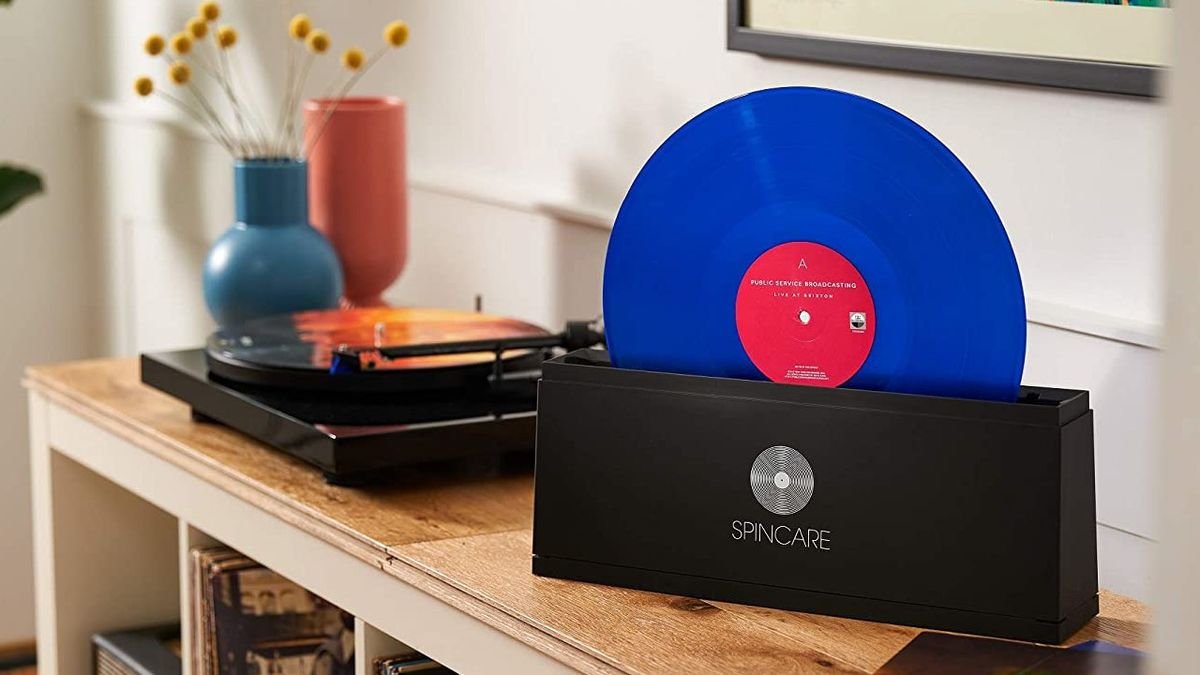
    • Keep your records clean: Vinyl records should be cleaned with a record cleaning brush or a record cleaning machine. Dust and dirt can damage both the vinyl and the stylus, so maintaining your collection is vital.

    Proper maintenance will help extend the lifespan of your turntables and ensure a smooth, high-quality sound.

    3. Cleaning Your DJ Mixer

    A DJ mixer is exposed to lots of hands-on interaction, and over time, dust, sweat, and dirt can affect its performance. To clean your mixer:

    • Unplug the mixer from any power sources and sound systems.
    • Use a microfiber cloth to wipe down the surface of the mixer, including the knobs, faders, and buttons.
    • For faders and knobs that feel sticky, you can use a contact cleaner spray designed for electronic equipment. Spray it on a cloth and gently wipe the fader or knob.
    • Clean the connections: Use a can of compressed air to blow out dust from the input/output ports and the area around the faders. This helps prevent debris from causing electrical issues.
    • Don’t forget the cables: Wipe down your cables with a cloth to remove dirt and dust. Make sure the cables are properly coiled and stored to avoid wear and tear.

    Regularly cleaning your mixer ensures that it performs at its best and prevents buildup that could damage the internal components.

    4. Maintaining DJ Headphones

    DJ headphones are one of the most personal pieces of equipment for a DJ, so it’s important to keep them in top shape. To clean and maintain your headphones:

    • Clean the ear cups: Use a microfiber cloth to gently wipe the ear cups. If they are very dirty, you can lightly dampen the cloth with water or isopropyl alcohol.
    • Sanitize the ear pads: For ear pads made of leather or synthetic materials, use a mild leather cleaner or a non-alcoholic cleaning solution to clean them. If your ear pads are removable, it’s a good idea to clean them separately.
    • Check the headband: Wipe down the headband with a dry cloth. Be sure to inspect it for any wear or cracks.
    • Protect your headphones: When not in use, store your headphones in a protective case to avoid damage from dust, moisture, or physical wear.
    • Replace ear pads when needed: Over time, ear pads can wear out, causing discomfort and sound isolation issues. Make sure to replace them when they start to lose their cushion or become cracked.

    Taking care of your headphones will ensure clear, accurate sound during your performances and extend the life of your gear.

    5. Storing and Protecting Your Gear

    Proper storage and protection of your DJ equipment is key to ensuring its longevity. Here are some tips for keeping your gear safe:

    • Use protective cases: Invest in hard cases or padded bags to protect your gear during transport. This is especially important for sensitive equipment like turntables and mixers.
    • Store in a clean, dry place: Avoid storing your equipment in areas that are too hot, cold, or humid. Excessive moisture can damage electrical components, while heat can cause overheating.
    • Cover your equipment: When not in use, cover your gear with a dust cover or cloth to prevent dust buildup. This helps keep the components clean and functioning properly.
    • Avoid stacking equipment: If you store your gear in a cabinet or on a shelf, avoid stacking heavy equipment on top of lighter items like headphones or controllers. The added weight could cause damage over time.

    By properly storing your equipment, you can protect it from unnecessary wear and extend its life.

    Conclusion: Caring for Your DJ Gear

    Maintaining and cleaning your DJ equipment is essential to ensuring it performs at its best and lasts for years. Regularly cleaning controllers, turntables, mixers, and headphones will keep your gear in top condition, improve your sound quality, and prevent issues during performances. Remember to invest in protective cases, store your equipment in a safe, clean environment, and take the time to regularly check for signs of wear.

    With these simple maintenance practices, you’ll keep your DJ equipment performing at its peak, so you can focus on delivering incredible mixes.
     

  • Essential Features to Look for in DJ Mixers

    Essential Features to Look for in DJ Mixers

    A DJ mixer is one of the most important pieces of equipment in your DJ setup. It allows you to blend, manipulate, and transition between tracks, making it essential for any DJ performance. Whether you’re a beginner or a seasoned professional, selecting the right DJ mixer can make a significant difference in the quality of your sets. In this guide, we’ll explore the essential features to look for in a DJ mixer to help you make an informed choice.

    Essential Features to Look for in DJ Mixers
    Essential Features to Look for in DJ Mixers

    1. Number of Channels

    The first feature to consider when choosing a DJ mixer is the number of channels. A channel refers to each audio input on the mixer where you can connect a turntable, CDJ, or other audio source. Most basic mixers have 2 channels, which is perfect for DJs who are just starting out and plan to mix two tracks at once.

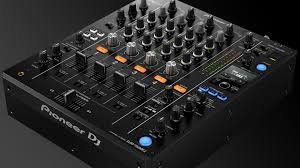
    For more advanced DJs who perform with multiple devices or need more versatility, mixers with 3 or 4 channels are ideal. A 4-channel mixer, such as the Pioneer DJ DJM-450, allows you to mix more sources (e.g., multiple turntables, a laptop, and a sampler) simultaneously. When choosing a mixer, consider how many devices you plan to connect to it, and choose accordingly.

    2. EQ Controls

    EQ controls (equalization) allow you to adjust the bass, midrange, and treble frequencies of each channel. This feature is essential for shaping the sound of your tracks, ensuring they blend seamlessly, and cutting through the mix.

    Most DJ mixers have a 3-band EQ (bass, mid, treble), but some high-end mixers offer a 4-band EQ for more precise control. Look for smooth, responsive EQ knobs that are easy to use during live performances. A mixer with good EQ controls lets you fine-tune your mix, create dynamic transitions, and adapt to different music genres and room acoustics.

    3. Faders and Crossfader

    Faders control the volume of each channel, while the crossfader allows you to blend or fade between two tracks, typically on channels 1 and 2. A smooth, responsive fader and crossfader are critical for flawless mixing. When selecting a DJ mixer, ensure that the faders feel comfortable to use and have a smooth, consistent motion.

    Some mixers feature replaceable crossfaders, which are helpful if you plan on using the mixer for scratching or aggressive transitions. Pioneer DJ mixers, like the DJM-900NXS2, offer high-quality, durable faders and crossfaders designed to withstand heavy use.

    4. Built-in Effects

    Many modern DJ mixers come with built-in effects that add flair and creativity to your set. These effects can range from simple filters to complex delays, reverb, and beat-synced effects. Having effects at your fingertips allows you to manipulate the sound in real time, adding dramatic moments to your performance.

    When selecting a mixer, check the number and variety of built-in effects. Some mixers, like the Allen & Heath Xone:96, offer high-quality effects with deep customization, while others may have simpler, more straightforward options. Make sure the mixer has enough effects to enhance your mixes without overwhelming you.

    5. Sound Quality and Headroom

    Sound quality is one of the most critical aspects of any DJ mixer. The better the sound quality, the more professional your mix will sound. Look for mixers with high-resolution audio circuitry and ample headroom, which ensures clear, distortion-free sound even when playing at loud volumes.

    A good mixer should offer a clean signal path and low noise levels. Many high-end mixers use 24-bit/96kHz audio resolution, which provides a wider dynamic range and better overall sound fidelity. For example, the Rane Seventy-Two offers excellent sound quality with minimal distortion, making it a top choice for professionals.

    6. Input and Output Options

    The input and output options on your mixer are crucial for connecting your devices and sending your audio to speakers or recording equipment. Look for mixers with various input options such as RCA, XLR, and TRS (1/4-inch) connectors, so you can easily connect turntables, CDJs, laptops, or external sound sources.

    For outputs, make sure your mixer has the necessary connections to send audio to speakers or an external sound system. Master output and booth output are standard, and a record out connection can be useful for recording your mixes. Additionally, check if the mixer includes USB connectivity for digital DJing with software like Serato, Rekordbox, or Traktor.

    7. Build Quality and Durability

    Since DJ mixers are used in high-pressure environments, build quality and durability are essential. You want a mixer that can withstand frequent transport and long hours of use. Look for a mixer with a solid metal or reinforced plastic chassis, as well as durable knobs and faders.

    A mixer with a rugged design will last longer and perform better under demanding conditions. Popular brands like Pioneer DJ, Allen & Heath, and Rane are known for their durable, well-constructed mixers, which are designed to handle the wear and tear of live performances.

    8. Size and Portability

    The size and portability of your DJ mixer depend on how you plan to use it. If you’re primarily DJing at home, a larger, feature-rich mixer may be ideal. However, if you’re traveling to gigs or performing on the go, a more compact, lightweight mixer may be better suited for your needs.

    Some mixers, like the Pioneer DJ DJM-250MK2, offer a good balance between portability and features, making them perfect for mobile DJs who need to transport their gear frequently. When selecting a mixer, consider how much space you have available for your setup and how easy it is to transport.

    9. Software Compatibility

    Many modern DJ mixers are designed to work seamlessly with DJ software, allowing you to integrate digital files and control them directly from the mixer. Ensure that the mixer you choose is compatible with your preferred DJ software, such as Serato DJ, Rekordbox, or Traktor.

    Some mixers come with bundled software or have built-in sound cards, making it easy to plug and play. If you plan on using a laptop or digital setup, check if the mixer includes USB connectivity and supports your chosen software.

    Conclusion

    Choosing the right DJ mixer depends on your style, needs, and budget. Start by considering the number of channels you need, the quality of the EQ controls, and the types of effects you want to use. Pay attention to build quality, input/output options, and the durability of the mixer to ensure it can withstand the demands of live DJing.

    For beginners, a 2-channel mixer with basic EQ and effects may be all you need. However, as you advance, you may want to explore mixers with more channels, high-quality sound, and additional features like customizable effects. No matter which mixer you choose, make sure it fits your style, offers the functionality you need, and allows you to perform confidently.


  • How to Choose the Right DJ Headphones

    As a DJ, having the right headphones is essential for achieving a smooth and professional performance. DJ headphones help you cue tracks, beatmatch, and ensure seamless transitions during your set. With so many options available, choosing the right pair can be overwhelming, especially for beginners. In this post, we’ll guide you through the factors to consider when selecting DJ headphones, ensuring you find the perfect match for your needs and style.

    How to Choose the Right DJ Headphones
    How to Choose the Right DJ Headphones

    1. Sound Quality

    The first and most important factor to consider when choosing DJ headphones is sound quality. You need headphones that provide clear and accurate sound so you can hear all the details in your mixes. Look for headphones with a wide frequency response, typically between 20 Hz to 20,000 Hz, which ensures you can hear both deep bass and high treble clearly.

    DJ headphones should also have good noise isolation or even noise-canceling features. This will help you focus on your mix and block out any background noise from the crowd or environment. The Sennheiser HD 25 is a popular choice among DJs because of its excellent sound quality and isolation capabilities, even at high volumes.

    2. Comfort and Fit

    Since DJs often wear headphones for long periods of time, comfort is crucial. Look for headphones with soft ear cups, adjustable headbands, and lightweight designs to ensure they remain comfortable throughout your set. Over-ear headphones are generally more comfortable for extended wear compared to on-ear models, as they cover the entire ear and provide a better seal for sound isolation.

    Consider how the headphones feel when worn for an hour or more. Can you adjust the headband easily? Do the ear cups rest comfortably around your ears without pressing too hard? Comfort is key, so try different models on if possible before making a purchase.

    3. Durability and Build Quality

    DJs need headphones that can handle the rigors of regular use, especially during live events or gigs. Durability is one of the most important factors when choosing headphones. Look for models with a sturdy build, reinforced cables, and swivel or foldable ear cups for easy storage and portability.

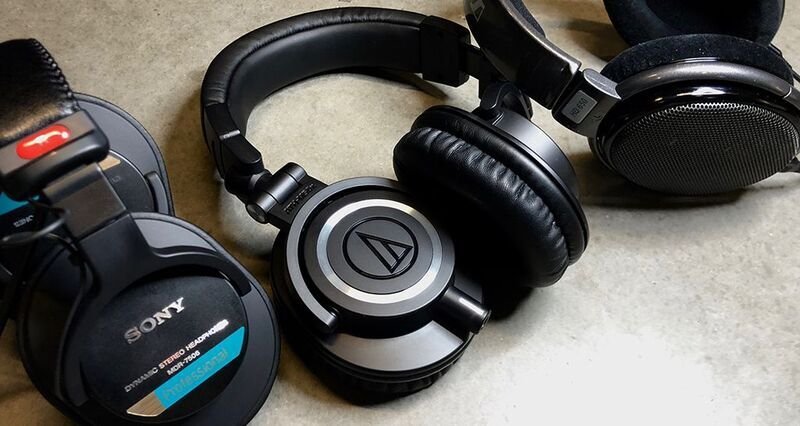
    Materials like metal hinges, stainless steel, and high-quality plastic contribute to a headphone’s durability. The Audio-Technica ATH-M50X, for example, is known for its solid construction and long-lasting design, making it a favorite among both beginner and professional DJs.

    4. Swivel and Rotation Features

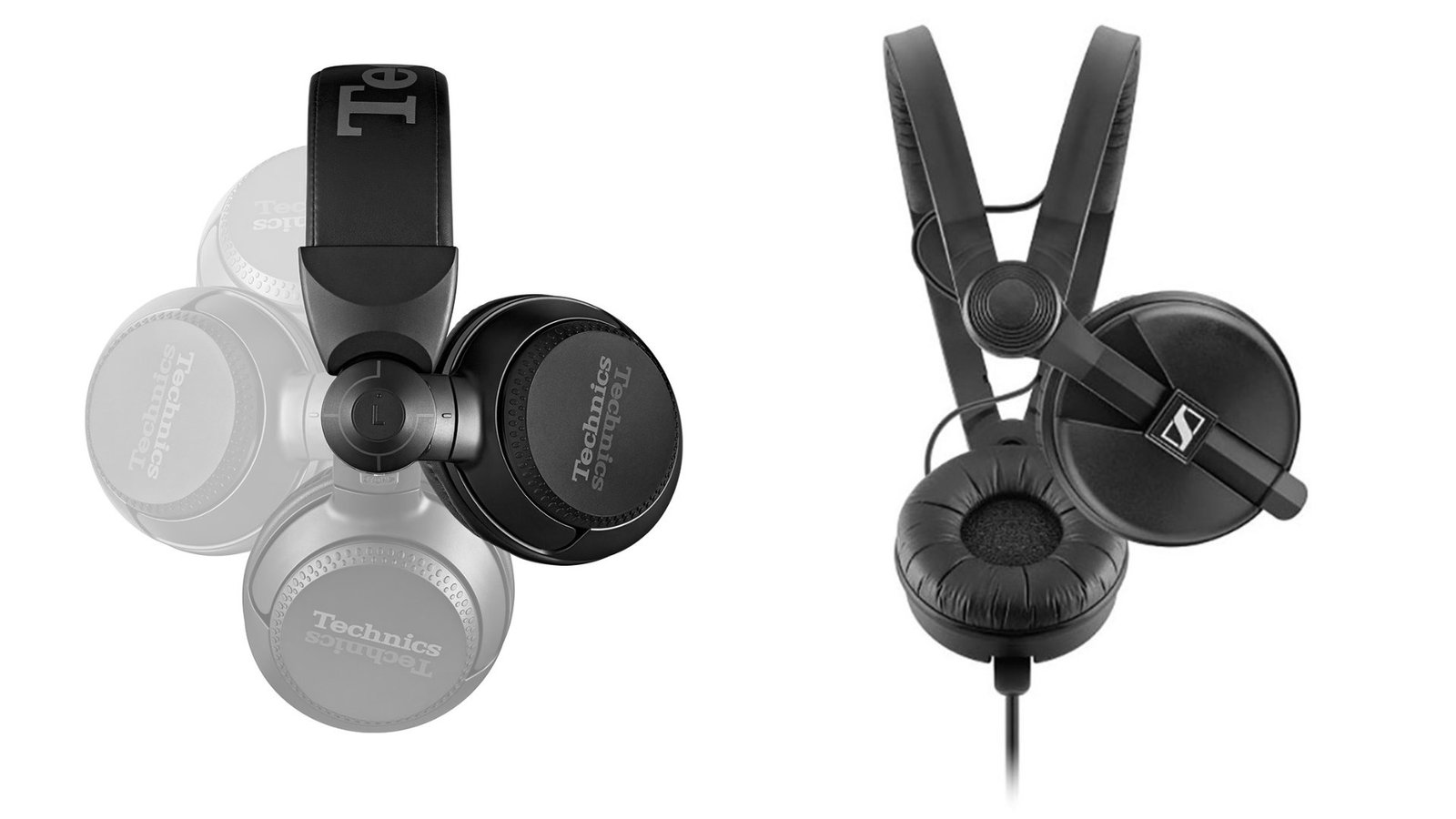
    One feature that sets DJ headphones apart from regular headphones is the ability to swivel or rotate the ear cups. DJs need this functionality to listen to the current track in one ear (cueing) while the other ear is focused on the mix. The ability to swivel or rotate the ear cups by 90 degrees (or more) is essential for cueing and beatmatching.

    Some models also feature foldable ear cups, which make them more compact and easy to store when not in use. Look for headphones with flexible ear cups that can be rotated in both directions for maximum comfort and convenience.

    5. Impedance and Power Handling

    When choosing the best DJ headphones, you should also pay attention to the impedance (measured in ohms) and power handling capacity. Impedance affects how much power the headphones require to reach optimal volume levels. Lower impedance headphones (e.g., 32 ohms) are generally more suitable for use with portable devices like smartphones or controllers, while higher impedance headphones (e.g., 80 ohms or more) work better with professional DJ equipment, such as mixers and amplifiers.

    Make sure the headphones you choose are compatible with the equipment you’re using, as mismatched impedance can lead to less-than-optimal sound quality or insufficient volume levels.

    6. Portability and Storage

    DJs often need to transport their gear to gigs or practice sessions. For this reason, portability and easy storage are essential. Look for headphones that are foldable, lightweight, and come with a carrying case or pouch for protection during travel.

    Some models, like the Pioneer HDJ-X5, feature rotating ear cups and a collapsible design, making them easy to pack and carry. A compact, durable case will also help protect your headphones from damage while you’re on the move.

    7. Price and Brand Reputation

    Finally, consider your budget when choosing DJ headphones. While you can find good-quality headphones at various price points, it’s essential to balance cost with performance. Entry-level headphones like the Sony MDR-7506 offer excellent sound and durability at a lower price, while higher-end models like the Sennheiser HD 25 or Audio-Technica ATH-M50X come with premium features and superior sound quality.

    Choose a reputable brand with a history of producing high-quality DJ gear. Brands like Pioneer DJ, Sennheiser, Audio-Technica, and AKG are known for making headphones that cater specifically to DJs, offering a perfect blend of performance, durability, and comfort.

    Conclusion: Finding the Right DJ Headphones

    Choosing the right DJ headphones comes down to prioritizing sound quality, comfort, durability, and functionality. For beginners, it’s essential to focus on a pair that offers solid performance at an affordable price. Look for headphones that are comfortable for long sessions, can withstand the demands of regular use, and provide clear, accurate sound.

    The Sennheiser HD 25, Audio-Technica ATH-M50X, and Pioneer HDJ-X5 are excellent options for both beginners and more experienced DJs, offering great sound, comfort, and durability. By considering your specific needs and preferences, you can find the perfect pair of DJ headphones that will help you deliver your best performance.


  • The Best DJ Controllers for Beginners

    The Best DJ Controllers for Beginners

    If you’re just starting out as a DJ, choosing the right controller is crucial to your learning experience. A DJ controller acts as the central hub for mixing, offering control over the music’s tempo, pitch, effects, and transitions. Fortunately, there are several DJ controllers available that offer a perfect balance between affordability, ease of use, and quality. In this post, we’ll explore some of the best DJ controllers for beginners, helping you make an informed decision as you begin your DJ journey.

    The Best DJ Controllers for Beginners
    The Best DJ Controllers for Beginners

    1. Pioneer DJ DDJ-400

    The Pioneer DJ DDJ-400 is one of the most popular DJ controllers for beginners, and for good reason. It offers an intuitive layout that mirrors the setup of professional Pioneer DJ equipment, allowing you to seamlessly transition to more advanced gear as you progress. The controller comes with Serato DJ Lite software, making it beginner-friendly while still providing plenty of features to help you grow as a DJ.

    With 16 performance pads, smooth jog wheels, and dedicated filters for each deck, the DDJ-400 gives you full control over your mixes. It also has a built-in soundcard, so you can easily plug it into your speakers or headphones. The DDJ-400’s affordability and reliable performance make it an excellent choice for new DJs.

    2. Numark Mixtrack Pro FX

    The Numark Mixtrack Pro FX is another fantastic option for beginner DJs looking for an affordable controller with all the essential features. It’s packed with 16 performance pads, large jog wheels, and a 24-bit audio interface for clear sound. The Mixtrack Pro FX comes with Serato DJ Lite, making it easy to start mixing without a steep learning curve.

    One of its standout features is the FX paddles, which allow you to apply effects in real time with a simple motion. This adds an extra layer of creativity to your sets without complicating the process. The Mixtrack Pro FX is lightweight, portable, and provides solid value for money—perfect for DJs just starting out.

    3. Hercules DJControl Inpulse 500

    The Hercules DJControl Inpulse 500 is a powerful, affordable controller designed specifically for beginners. What makes it stand out is its built-in Beatmatch Guide, which helps you learn how to beatmatch manually—an essential DJ skill. This feature provides visual cues on the controller, making it easier for beginners to align tracks and build seamless mixes.

    Equipped with large jog wheels, customizable pads, and an intuitive layout, the Inpulse 500 is perfect for DJs who want to learn traditional DJing techniques but with some modern convenience. It’s compatible with DJUCED software, which is both beginner-friendly and feature-rich, offering plenty of room to expand your skills.

    4. Native Instruments Traktor Kontrol S2 MK3

    For DJs looking for a more professional controller without breaking the bank, the Traktor Kontrol S2 MK3 is a great option. Native Instruments’ Traktor software is highly regarded in the DJ community, and the S2 MK3 integrates seamlessly with it. This controller offers high-quality jog wheels, large performance pads, and clear EQ controls.

    The S2 MK3 features Traktor Pro 3, which provides powerful mixing capabilities and advanced features such as looping, effects, and sampling. While it may have a steeper learning curve than some other beginner controllers, it’s a great long-term investment for anyone serious about DJing. The build quality and performance of the S2 MK3 make it ideal for both beginners and intermediate DJs.

    5. Denon DJ Prime Go

    If you’re looking for a portable, all-in-one DJ controller, the Denon DJ Prime Go is a unique option for beginners who want to take their setup anywhere. Unlike most controllers, the Prime Go is a standalone unit, meaning you don’t need a laptop to DJ with it. It has a built-in 7-inch touchscreen and offers all the essential controls for mixing.

    The Prime Go is compatible with Denon’s Engine OS, which is a user-friendly system designed for mobile DJing. While it’s a bit pricier than other entry-level controllers, it’s perfect for those who want the flexibility of a portable, laptop-free setup. The Prime Go is also great for DJs who plan to perform in various locations, as it’s compact and easy to transport.

    6. Rekordbox DDJ-200

    For beginner DJs who prefer to DJ using their smartphone or tablet, the Rekordbox DDJ-200 is an excellent choice. This controller works with Pioneer DJ’s Rekordbox software and is designed to connect seamlessly with mobile devices, allowing you to mix without needing a laptop.

    The DDJ-200 is compact, lightweight, and portable, making it ideal for DJs on the go. It’s also budget-friendly, so you won’t have to invest too much when you’re just getting started. With intuitive features like the Transition FX and a simple layout, the DDJ-200 helps new DJs learn the ropes of mixing while offering flexibility for mobile DJing.

    Conclusion: Choosing the Right DJ Controller for You

    Choosing the right DJ controller depends on your needs, preferences, and budget. The Pioneer DJ DDJ-400 is an excellent option for beginners who want a solid, affordable controller that feels professional. The Numark Mixtrack Pro FX is great for DJs looking for a controller with real-time FX controls, while the Hercules DJControl Inpulse 500 offers helpful learning tools to accelerate your DJ skills.

    For those looking to dive into more advanced features early on, the Traktor Kontrol S2 MK3 is a fantastic choice, while the Denon DJ Prime Go offers a portable, standalone solution. The Rekordbox DDJ-200 is perfect for DJs who want to start with a mobile setup.

    Ultimately, the best DJ controller for you is the one that fits your style, budget, and learning goals. Start with something simple, experiment, and as your skills grow, you can always upgrade to more advanced equipment. Happy DJing!


  • Essential DJ Gear: What Every DJ Needs

    Essential DJ Gear: What Every DJ Needs

    Whether you’re just starting out or a seasoned professional, having the right DJ gear is crucial to delivering a top-notch performance. The world of DJing can seem overwhelming with so many equipment options available, but there are a few must-have tools that every DJ needs to create seamless mixes, engage the crowd, and ensure their setup is both effective and efficient.

    In this guide, we’ll explore the essential DJ gear that every DJ should own. From the foundational equipment like controllers and mixers to the more specialized tools like headphones and speakers, this list will help you build a setup that suits your style and needs.


    1. DJ Controller

    A DJ controller is at the heart of every DJ’s setup, acting as the interface between the DJ and the music. It connects to your laptop or computer, allowing you to manipulate digital music files via DJ software.

    • Key Features to Look For: Multiple decks (2 or 4), responsive jog wheels, performance pads for triggering samples, effects, and loops, as well as EQ controls for mixing.
    • Top Picks: Pioneer DDJ-1000, Numark Mixtrack Pro FX, and Denon DJ Prime 4.

    DJ controllers are available in different sizes and configurations, catering to beginners, intermediate, and advanced DJs. For those starting out, a two-deck controller may suffice, while more experienced DJs often prefer four-deck controllers with built-in features like high-quality sound cards and onboard effects.


    2. DJ Mixer

    A DJ mixer is a vital piece of equipment that allows you to blend multiple audio signals together. It’s responsible for adjusting the volume, EQ, and adding effects to each track, ensuring a smooth transition between songs.

    • Key Features to Look For: Multiple channels for controlling different audio sources, crossfader for smooth transitions, EQ knobs to adjust bass, mids, and treble, and FX controls to enhance sound creatively.
    • Top Picks: Pioneer DJM-900NXS2, Allen & Heath Xone:96, and Behringer DJX750.

    Mixers range from basic two-channel models to more advanced four-channel versions for DJs who want to mix multiple tracks or even incorporate external instruments. The quality of your mixer impacts your ability to control the music and effects, making it a critical choice.


    3. Headphones

    DJ headphones are one of the most important tools for accurate mixing. DJs rely on headphones to listen to tracks in advance and cue up the next song before seamlessly transitioning it into the mix.

    • Key Features to Look For: Closed-back design for excellent noise isolation, swiveling ear cups for easy monitoring, and durable construction to withstand the demands of frequent use.
    • Top Picks: Sennheiser HD 25, Audio-Technica ATH-M50x, and Pioneer HDJ-X10.

    High-quality headphones are crucial for cueing up tracks, ensuring that the mix sounds just right before you bring it into the performance. DJs need headphones that can deliver accurate sound reproduction and help them hear the finer details of their tracks.


    4. Speakers

    A good pair of DJ speakers is essential for ensuring the crowd hears every beat of your performance. Whether you’re performing in a small venue or a large club, choosing the right speaker setup is key to delivering a dynamic sound.

    • Key Features to Look For: High power handling, clear bass response, portability, and durability for transport.
    • Top Picks: QSC K12.2, JBL EON615, and Mackie Thump 15BST.

    For large venues, you may need a powered speaker system, which includes built-in amplification. Smaller setups might benefit from compact, portable speaker units that still deliver high-quality sound.

    Essential DJ Gear: What Every DJ Needs
    Essential DJ Gear: What Every DJ Needs

    5. Audio Interface

    An audio interface acts as the bridge between your DJ controller and your sound system. It ensures high-quality sound output and helps route audio signals from your equipment to the speakers.

    • Key Features to Look For: Multiple outputs for connecting different sound sources, high-resolution audio conversion, and low-latency performance.
    • Top Picks: Focusrite Scarlett 2i2, PreSonus AudioBox USB 96, and Native Instruments Komplete Audio 6.

    While many DJ controllers come with a built-in audio interface, some DJs prefer to use a dedicated interface for better sound quality and additional functionality.


    6. Laptop or Tablet

    Most modern DJ setups rely on DJ software that runs on a laptop or tablet. Your laptop serves as the central hub for mixing, controlling tracks, and organizing your music library.

    • Key Features to Look For: Fast processor, ample storage space, and compatibility with DJ software like Serato, Traktor, or Rekordbox.
    • Top Picks: Apple MacBook Pro, Microsoft Surface Pro 7, and Dell XPS 15.

    Ensure that your laptop has enough storage space to hold your entire music library, along with the performance power to handle live mixing without lag or glitches.


    7. Microphone

    While not always necessary, a microphone can be an essential addition to your DJ setup, especially for MCing or interacting with the crowd.

    • Key Features to Look For: Clear, crisp sound, adjustable levels, and durability.
    • Top Picks: Shure SM58, Audio-Technica AT2020, and Sennheiser e835.

    Microphones allow you to connect with the crowd, announce upcoming songs, or even perform live vocal elements during your DJ set.


    8. Cables and Accessories

    You can’t forget the importance of cables in your DJ setup. From power cables to audio cables, ensuring your setup is properly wired is crucial for smooth performances.

    • Key Features to Look For: High-quality cables to prevent signal loss or interference, extra cables in case of equipment failure, and cable management solutions.
    • Top Picks: Mogami Gold XLR Cables, ProCo Rat’s Nest, and Cable Management Ties.

    It’s essential to have backup cables and adapters for different setups to avoid any interruptions during your performance. Proper cable management ensures that your setup stays organized and tangle-free.


    9. Lighting and Effects

    While not strictly “essential” for all DJs, adding lighting and effects to your setup can help create a more dynamic and engaging atmosphere for the crowd.

    • Key Features to Look For: Adjustable lighting systems, DMX control, and portable setups.
    • Top Picks: Chauvet DJ GigBAR 2, ADJ Inno Pocket Spot, and Lixada LED DJ Lights.

    Depending on the venue, adding lights and effects to your performance can enhance the experience and create a more immersive environment.


    10. Carrying Cases and Stands

    Transporting your gear safely and securely is important for protecting your equipment while traveling. Carrying cases and stands make it easier to organize and set up your gear for gigs.

    • Key Features to Look For: Durable material, shock resistance, and ergonomic design for easy transport.
    • Top Picks: Odyssey DJ Cases, Pioneer DJT-S1 Stand, and Gator Cases.

    Having proper protection for your equipment can prevent damage and ensure that you arrive at your gig with everything in top condition.


    Conclusion

    Having the right DJ gear is essential to building a successful and dynamic performance. The equipment listed above forms the core of any DJ setup, providing you with everything needed to mix, manipulate, and present your music in the best possible way. Whether you’re just starting out or a seasoned professional, investing in quality gear that fits your style and needs will help you deliver impressive performances and elevate your DJing experience.

  • A Guide to DJ Controllers: Features and Differences

    A Guide to DJ Controllers: Features and Differences

    When it comes to modern DJing, DJ controllers have become essential tools for both beginners and professional DJs. Offering intuitive control over DJ software and hardware, these devices have revolutionized the way DJs interact with music. In this guide, we’ll dive into the key features and differences of DJ controllers, helping you choose the right one for your needs, whether you’re starting out or upgrading your setup.


    1. What is a DJ Controller?

    A DJ controller is a hardware device that allows DJs to manipulate music through software. It typically connects to a laptop or computer running DJ software like Serato, Traktor, or rekordbox. DJ controllers combine elements of traditional DJ gear such as turntables and mixers with modern digital technology, offering a streamlined and portable solution for DJing.


    2. Key Features of DJ Controllers

    Understanding the core features of a DJ controller is essential when selecting the right model for your setup. Here are some of the most important aspects to consider:

    a. Decks and Jog Wheels

    The primary function of a DJ controller is to provide deck control, allowing you to mix multiple tracks. Jog wheels are an integral part of this, offering a tactile, hands-on method to manipulate music.

    • Jog Wheels: These large, circular wheels are used for scratching, beatmatching, and pitch bending. Higher-end controllers often feature touch-sensitive jog wheels for more precise control.
    • Decks: Most DJ controllers have two or four decks, which can control separate tracks or channels simultaneously. The more decks a controller has, the more complex your mixing options become.

    b. Mixer Section

    A DJ controller’s mixer section mirrors the layout of a traditional DJ mixer, providing control over individual tracks, the overall mix, and audio effects.

    • EQ Controls: These knobs allow you to adjust the bass, mid, and treble frequencies of each track, giving you greater control over the sound.
    • Faders: Faders control volume levels, allowing you to mix between tracks smoothly. Some controllers feature line faders (for each deck) and crossfaders (for transitioning between decks).
    • Filter and FX Controls: Many controllers have dedicated buttons and knobs for adding filters, effects, or loops to your mix. These features are great for adding creative flair and variation to your performance.

    c. Performance Pads

    Performance pads are used to trigger samples, loops, cue points, and effects. These pads are an essential feature for DJs who like to add live remixing to their sets.

    • Hot Cues: These pads can store cue points in a track, allowing you to jump to specific parts of a song instantly.
    • Loops and Samples: Performance pads are often used to trigger pre-programmed loops and samples for live remixing and creative manipulation.

    d. Software Compatibility

    One of the most important aspects of choosing a DJ controller is ensuring it’s compatible with your preferred DJ software. Most DJ controllers come bundled with software or are designed to work seamlessly with specific programs.

    • Serato DJ: One of the most popular DJ software programs, known for its reliability and ease of use.
    • Traktor Pro: A highly customizable software, great for professional DJs who want extensive control over their mixes.
    • rekordbox DJ: Pioneer DJ’s software, which integrates well with their hardware and offers cloud-based features.
    • Virtual DJ: Another popular software, with user-friendly features for DJs at any experience level.

    Ensure the controller you choose works seamlessly with your software of choice for the best experience.

    e. Audio Interface

    An audio interface is an essential component of DJ controllers. It allows the controller to send sound to speakers and headphones, ensuring high-quality audio output.

    • Built-in Audio Interface: Most DJ controllers come with a built-in audio interface, allowing you to connect to speakers and headphones directly.
    • Separate Audio Interface: Some higher-end models may require a separate audio interface for premium sound quality or additional connectivity options.

    3. Different Types of DJ Controllers

    DJ controllers come in a range of styles and designs, each catering to different needs. Here’s a look at the major types:

    a. Two-Deck Controllers

    These controllers are designed for DJs who want to focus on mixing two tracks at a time. They typically include two jog wheels, a mixer section, and performance pads. Two-deck controllers are perfect for beginners who are learning the basics of mixing and beatmatching.

    b. Four-Deck Controllers

    Four-deck controllers allow DJs to mix four tracks simultaneously, offering greater flexibility and complexity. These controllers often feature additional features like extra effects, more performance pads, and a larger mixer section. Four-deck controllers are ideal for advanced DJs who want to manipulate multiple tracks, add more layers to their sets, and create more complex mixes.

    A Guide to DJ Controllers: Features and Differences
    A Guide to DJ Controllers: Features and Differences

    c. Standalone DJ Controllers

    Standalone controllers are powerful, self-contained units that don’t require a laptop or computer to operate. They have their own built-in screens, audio interfaces, and software. DJs who prefer not to rely on a laptop during performances often opt for standalone controllers.

    d. Compact and Portable Controllers

    For mobile DJs or those who need a lightweight option for travel, compact controllers are ideal. These smaller units offer many of the same features as larger controllers but in a more portable form. They typically have fewer buttons and controls but are perfect for on-the-go performances.


    4. Factors to Consider When Choosing a DJ Controller

    When selecting the right DJ controller, there are a few important factors to keep in mind:

    a. Budget

    DJ controllers come in a wide price range, from entry-level models to high-end professional units. It’s important to choose a controller that fits your budget while still offering the features you need.

    b. Portability

    If you plan to perform at different venues or take your controller to events, portability is key. Smaller, lightweight controllers are easy to transport, while larger models may offer more features but require more space.

    c. Software Preferences

    As mentioned earlier, some controllers are designed to work with specific DJ software. Make sure the controller you choose is compatible with your software of choice, or that it comes bundled with a software you’re comfortable using.

    d. Durability

    For DJs who perform frequently or travel often, durability is crucial. Look for controllers made with high-quality materials and consider features like removable cables and reinforced knobs to ensure longevity.


    5. Top DJ Controllers to Consider

    Here are a few popular DJ controllers to consider based on your needs:

    a. Pioneer DDJ-1000

    Ideal for advanced DJs, the Pioneer DDJ-1000 offers four decks, large jog wheels, and a full mixer section, making it great for complex mixes.

    b. Numark Mixtrack Pro FX

    A solid choice for beginners, the Numark Mixtrack Pro FX offers two decks, performance pads, and excellent software compatibility at an affordable price.

    c. Denon DJ Prime 4

    For DJs who want a standalone controller, the Denon DJ Prime 4 is a top-tier option, featuring a 10-inch touchscreen, four decks, and built-in software, making it ideal for professional performances.


    Conclusion

    Choosing the right DJ controller depends on your experience level, performance needs, and budget. Understanding the key features—such as jog wheels, mixer controls, software compatibility, and audio interfaces—will help you make an informed decision. Whether you’re a beginner looking for a compact model or an advanced DJ seeking a standalone controller with all the bells and whistles, there’s a DJ controller out there to suit your style. By considering these factors and trying out different models, you can find the perfect tool for your DJing needs and elevate your performances to the next level.

  • The Best DJ Headphones for Accurate Mixing

    The Best DJ Headphones for Accurate Mixing

    As a DJ, having the right set of headphones is critical to the success of your performance. The best DJ headphones provide superior sound quality, comfort, and durability, all while offering the accuracy needed for precise mixing. Whether you’re cueing up tracks, adjusting EQ levels, or preparing for a seamless transition, a reliable pair of headphones makes all the difference. In this guide, we’ll explore the top DJ headphones for mixing, focusing on models that excel in sound clarity, comfort, and build quality—ideal for both professionals and enthusiasts.


    1. Audio-Technica ATH-M50x

    One of the most popular and well-respected headphones in the DJ world, the Audio-Technica ATH-M50x offers outstanding sound clarity and precision. These headphones are highly praised for their deep bass and crisp highs, which are essential for an accurate mix.

    Key Features:

    • Sound Quality: Clear, balanced sound across all frequencies, with strong bass response ideal for monitoring.
    • Comfort: Cushioned ear cups and adjustable headband make them comfortable for long sets.
    • Durability: Built to last with high-quality materials.
    • Swivel Earcups: The earcups can rotate 90 degrees, making it easy to hear the crowd while monitoring your mix.

    Why They’re Great for Mixing:

    The ATH-M50x‘s precise sound reproduction allows DJs to hear every detail in their mix, from the low-end thumps to the high-end frequencies. The closed-back design also ensures excellent noise isolation, enabling you to focus entirely on the music without distractions.


    2. Sennheiser HD 25

    The Sennheiser HD 25 has long been a go-to for DJs, and for good reason. Known for their ability to deliver powerful sound even at high volumes, these headphones are built for professional use and have earned their place in many DJ booths around the world.

    Key Features:

    • Sound Quality: Highly detailed and accurate sound with an emphasis on low-end clarity, which is perfect for electronic and dance music.
    • Comfort: Lightweight and compact, designed for extended use without causing fatigue.
    • Durability: Strong and reliable construction, ideal for DJs who frequently travel or perform at high-energy events.
    • Noise Isolation: Exceptional noise isolation to block out background noise and focus solely on the mix.

    Why They’re Great for Mixing:

    The HD 25 is one of the best headphones for DJs who need to clearly hear their mix in loud environments. With a closed-back design and efficient soundproofing, you’ll have no trouble monitoring tracks in noisy clubs or festivals. Its ability to deliver precise audio makes it a staple for accurate mixing.


    3. Pioneer DJ HDJ-X10

    Pioneer is a brand that DJs trust, and their HDJ-X10 headphones live up to that reputation. These high-performance headphones are designed for accuracy and comfort, perfect for long DJ sets or studio work.

    Key Features:

    • Sound Quality: Crystal-clear sound with a wide frequency range, ensuring precise mix monitoring.
    • Comfort: Ergonomically designed with a soft, cushioned headband and earcups that provide a snug, comfortable fit.
    • Durability: Built for heavy-duty use, with a rugged, shock-resistant design.
    • Noise Isolation: Excellent passive noise isolation, allowing for focused listening in loud environments.

    Why They’re Great for Mixing:

    The HDJ-X10 delivers deep bass, clear mids, and sharp highs, making them ideal for both mixing and mastering. The headphones also feature superior isolation to block out background noise, providing a truly immersive experience. Whether you’re in the booth or in a loud outdoor setting, you’ll be able to hear every detail of your mix.


    4. Bose QuietComfort 35 II

    While primarily known for their noise-canceling capabilities, the Bose QuietComfort 35 II is an excellent choice for DJs who need precision and comfort. These headphones are perfect for studio sessions, practice, or mixing in quieter environments.

    The Best DJ Headphones for Accurate Mixing
    The Best DJ Headphones for Accurate Mixing

    Key Features:

    • Sound Quality: Rich, full-range sound that’s balanced across all frequencies, perfect for discerning mix details.
    • Comfort: Extremely comfortable, with plush ear cups and a lightweight design, ideal for long sessions.
    • Noise Cancellation: Industry-leading noise-canceling technology to block out background noise.
    • Bluetooth Connectivity: Wireless, though they can also be used with a wired connection for low-latency performance.

    Why They’re Great for Mixing:

    The QuietComfort 35 II offers a detailed, clear sound that helps DJs accurately monitor their mixes. The noise cancellation feature ensures you’re not distracted by outside sounds, allowing you to focus entirely on the track. Although wireless, they provide excellent sound quality and clarity.


    5. V-Moda Crossfade M-100

    The V-Moda Crossfade M-100 headphones are known for their bold sound and stylish design. They’re built for DJs who value both performance and aesthetics.

    Key Features:

    • Sound Quality: Wide soundstage with deep bass, clear mids, and sharp highs.
    • Comfort: Memory foam ear cushions and headband for a snug, secure fit.
    • Durability: Military-grade construction that’s both rugged and sleek.
    • Customizable Design: Personalized shields allow for custom designs, giving you a unique look.

    Why They’re Great for Mixing:

    The Crossfade M-100 provides an immersive listening experience with powerful bass and crisp treble. The noise-isolating design makes them ideal for monitoring in loud environments. Whether you’re mixing in the studio or live at an event, these headphones are up to the task.


    6. AKG K240 Studio

    For DJs who want a mix of studio-quality sound and comfort, the AKG K240 Studio headphones are an excellent choice. These semi-open headphones are ideal for studio use and offer natural, transparent sound.

    Key Features:

    • Sound Quality: Exceptional clarity and transparency, providing an accurate representation of your mix.
    • Comfort: Lightweight and comfortable, perfect for long listening sessions.
    • Durability: High-quality materials ensure longevity, and the detachable cable adds extra convenience.
    • Soundstage: Wide, open soundstage, perfect for critical listening.

    Why They’re Great for Mixing:

    The K240 Studio provides a flat response and wide soundstage, making it easier to pick out the small details in your mix. While they’re semi-open, they offer excellent sound isolation, making them a great choice for DJs who need clarity without the risk of background noise interference.


    Conclusion

    The best DJ headphones for mixing offer the perfect balance of sound clarity, comfort, and durability. Whether you prefer the deep bass and accurate highs of the Audio-Technica ATH-M50x, the ruggedness and precision of the Sennheiser HD 25, or the advanced noise-canceling technology of the Bose QuietComfort 35 II, there is a pair that suits your needs. By selecting headphones that provide the clearest sound possible, you’ll be able to mix with precision and confidence, ensuring an exceptional experience for you and your audience.

  • A Beginner’s Guide to DJ Equipment

    A Beginner’s Guide to DJ Equipment

    If you’re interested in becoming a DJ, the first step is understanding the equipment you’ll need to get started. DJing can seem overwhelming at first with all the gear, but it’s easier than it looks once you know the basics. Whether you’re planning to DJ at parties, clubs, or just for fun, this beginner’s guide will walk you through the essential DJ equipment you need to start mixing tracks and creating memorable sets.

    A Beginner’s Guide to DJ Equipment
    A Beginner’s Guide to DJ Equipment

    1. The DJ Controller

    For beginners, the DJ controller is the most common piece of equipment. A DJ controller is an all-in-one device that combines the functionality of a turntable, mixer, and software into one compact unit. Controllers are perfect for beginners because they are often more affordable than traditional setups and provide everything you need to get started.

    Some popular beginner-friendly controllers include the Pioneer DDJ-400 and Numark Mixtrack Pro FX. These controllers are user-friendly, feature a variety of controls like jog wheels, faders, and buttons for cueing, looping, and effects. Many controllers also come with DJ software, which makes it easier to start mixing right out of the box.

    2. DJ Software

    DJ software is crucial for mixing and controlling your music. While some DJ controllers come with software included, it’s important to understand which DJ software is compatible with your gear and offers the features you need. Common beginner DJ software options include Serato DJ Lite, Traktor Pro, and Rekordbox.

    Most DJ software provides a range of features like beatmatching, tempo adjustment, looping, and effects. They also allow you to organize your music library and manage playlists for easy access during your sets. Starting with a free or “lite” version of DJ software is a great way to explore before committing to more advanced versions.

    3. Headphones

    Headphones are essential for any DJ to cue tracks, beatmatch, and ensure smooth transitions between songs. Look for closed-back headphones, which help block out ambient noise, so you can focus on your mixes. The Sennheiser HD 25 and Pioneer HDJ-X5 are popular choices for DJs, offering good sound isolation and durability.

    When selecting headphones, make sure they are comfortable for long sessions, have good sound quality, and are sturdy enough to withstand the wear and tear of traveling to gigs. A good pair of DJ headphones will allow you to hear the details in the music, making it easier to mix tracks effectively.

    4. Speakers or Monitors

    When you’re practicing at home, you’ll need speakers or studio monitors to hear your mixes clearly. While any speakers will work, DJing requires speakers that can handle a wide range of frequencies and loud volumes. Active speakers are often recommended for beginners because they have a built-in amplifier, meaning you don’t need to purchase an external amp.

    Some good entry-level speaker options include the Mackie CR3-X or Audioengine A5+. These speakers provide solid sound quality without breaking the bank. If you’re planning to play live gigs or parties, you’ll eventually need to invest in more powerful PA speakers, but for home practice, smaller studio monitors are a great start.

    5. DJ Mixer

    If you’re looking to expand your setup beyond a DJ controller, a DJ mixer is the next logical step. A DJ mixer is a separate piece of equipment that allows you to control the volume, EQ, and effects of two or more audio sources simultaneously. Professional DJs use mixers to blend songs seamlessly and add effects or transitions between tracks.

    For beginners, a basic two-channel mixer like the Pioneer DJ DJM-250MK2 or Numark M6 is ideal. These mixers offer the basic controls needed for mixing, with smooth faders and built-in effects. Keep in mind that a separate mixer requires you to have turntables or CDJs to use it effectively, which can increase the overall cost of your setup.

    6. Audio Interface (Optional)

    An audio interface is not always necessary for beginners, but it can be useful if you plan on recording your mixes or using multiple audio sources. This device connects your DJ setup to your computer and allows you to record or stream your mixes in high quality. If you want to take your DJing to the next level and produce your own tracks or perform live streams, an audio interface like the Focusrite Scarlett 2i2 is a good investment.

    7. Cables and Accessories

    Finally, you’ll need a variety of cables and accessories to connect everything. These include RCA cables, USB cables, power cables, and audio cables for speakers. A DJ stand can also be useful for keeping your gear organized and at the right height. Investing in a durable carrying case for your equipment is important if you plan to transport your gear to gigs or practice sessions.

    Conclusion: Getting Started as a DJ

    Building a DJ setup doesn’t have to be expensive or complicated. With a budget-friendly DJ controller, headphones, and a good set of speakers, you can start practicing and honing your DJing skills. As you progress, you can add more advanced equipment like a DJ mixer, turntables, or an audio interface to further enhance your setup.

    The most important thing is to start small, experiment with different setups, and focus on learning the fundamentals of mixing and performance. With the right gear and plenty of practice, you’ll be on your way to becoming a skilled DJ in no time.


  • How to Set Up a DJ Booth: Equipment Placement

    How to Set Up a DJ Booth: Equipment Placement

    Setting up a DJ booth might seem like a simple task, but the way you position your equipment can significantly impact your performance. Proper organization ensures that you can access your gear quickly, maintain control over the mix, and deliver a flawless set. Whether you’re setting up for a small gig or a large-scale event, following a few key guidelines for DJ equipment placement will enhance both your efficiency and sound quality. In this article, we’ll walk you through the essentials of creating an optimized DJ booth setup.


    1. Choose the Right Location

    Before diving into the specifics of equipment placement, it’s essential to select the right location for your DJ booth. The booth should be positioned to ensure you have a clear view of the crowd and the sound system while maintaining optimal control over your setup.

    Consider These Factors When Choosing a Location:

    • Visibility: Make sure the booth is visible to both the crowd and any stagehands or sound engineers. You need to be able to see your audience’s reactions and monitor your sound.
    • Sound Quality: Avoid placing your booth near walls or corners where sound can be reflected and cause muddiness or distortion. Opt for a spot where sound waves can travel freely.
    • Safety and Comfort: Ensure there’s enough space for you to move around comfortably. Your booth should be in a location that doesn’t block access or create a safety hazard for others.

    2. Positioning Your DJ Gear

    Proper equipment placement is key to ensuring smooth transitions, excellent sound quality, and a comfortable working environment. Here’s how to arrange your DJ gear:

    Turntables, Controllers, or CDJs

    Your main mixing equipment, whether it’s turntables, a DJ controller, or CDJs, should be positioned front and center, directly in front of you. The placement of these devices affects your ease of control and the ergonomics of your performance.

    • Turntables or CDJs: If you’re using turntables or CDJs, they should be placed parallel to each other and at an equal distance. This gives you a balanced feel when mixing and allows for easy access to both decks.
    • DJ Controller: For controllers, place it directly in front of you at a comfortable height. The ideal angle for most controllers is around 15–30 degrees slanted, so you have a clear view of the jog wheels, buttons, and screens.

    Mixer

    Your mixer should be positioned slightly to the side of your main equipment but still within easy reach. The crossfader, EQ controls, and other key elements need to be comfortably accessible throughout your set.

    • Positioning Tips: Place the mixer between your two decks (or near your controller) at a height that allows you to adjust the fader and knobs without straining. The mixer should be angled slightly towards you, allowing for better visibility of your sound levels and controls.
    How to Set Up a DJ Booth: Equipment Placement
    How to Set Up a DJ Booth: Equipment Placement

    3. Headphones Placement

    Headphones are an essential part of your setup for cueing and pre-listening to tracks, so positioning them properly is key.

    • Headphone Stand: Use a stand to keep your headphones off the table, preventing them from being tangled or damaged. Position the stand within arm’s reach of your setup for quick access between tracks.
    • Cables: Ensure the headphone cable is long enough to reach your mixer or controller, but not so long that it becomes tangled or causes clutter.

    4. Laptop or Digital Setup

    In a modern DJ setup, your laptop or digital setup is often the brain behind your performance, running your DJ software (e.g., Serato, Traktor, Rekordbox). Proper placement ensures ease of access and prevents distractions or awkward movements.

    • Laptop Placement: Place your laptop slightly to the side of your mixer or controller, but at an angle where you can easily see the screen without having to twist or turn too much.
    • Keyboard and Trackpad: If you’re using a keyboard or external trackpad, position them in a way that they are easily accessible but not in the way of your other controls. A laptop stand can help elevate your screen to eye level, reducing neck strain.

    5. Speakers and Monitors Placement

    Proper speaker placement is crucial for achieving the best sound during your performance. Whether you’re using club speakers or personal monitors, the way they are positioned can affect both your performance and the audience’s experience.

    Main PA Speakers

    The main PA speakers are typically positioned in front of the crowd, facing outward toward the audience. However, when setting up near the DJ booth, make sure the speakers are angled slightly outward to avoid sound distortion near the booth. Avoid placing them too close to walls to prevent muffled sound or unwanted vibrations.

    DJ Monitors

    Your DJ monitors (also called reference monitors) are your primary source of sound feedback while you mix. They should be positioned on stands or tables, at ear level (usually slightly above or below eye level), angled towards your ears for the clearest sound. Ideally, they should be placed to the left and right of your setup to create a balanced stereo image.

    • Distance from Walls: Place your monitors far enough away from walls to avoid the reflection of sound waves, which can negatively affect sound quality.
    • Avoid Direct Sound Paths: Make sure the monitors are not directly facing your microphone or turntables to prevent feedback loops.

    6. Microphone and Effects Gear

    For live performances or events, microphones and effects processors may be part of your DJ setup. Here’s how to integrate them:

    • Microphone: Place the microphone in a position that’s easy for you to grab and use. If you’re using a stand, ensure it doesn’t block your view of the crowd or interfere with your gear.
    • Effects Gear: If you use external effects units, position them at a convenient angle next to your mixer. These should be accessible for tweaking but not in the way of your primary mixing controls.

    7. Cable Management

    Tangled cables can cause frustration, distraction, and even accidents. Effective cable management is essential for both performance and safety.

    • Cable Ties and Clips: Use cable ties or clips to secure your cables and prevent them from becoming a tripping hazard. Keep cables as organized and tidy as possible to maintain a clutter-free workspace.
    • Avoid Overlapping Cables: Make sure power cables, audio cables, and data cables are separated to avoid interference and signal issues.

    8. Lighting and Stage Setup

    Lighting can make a big difference in how you present yourself during your DJ performance. Ensure your booth is well-lit, with focused lighting on your equipment, especially if you’re performing in a dark venue. Be cautious not to place lights directly above your gear, as excessive heat or glare can affect performance.


    9. Creating a Comfortable Atmosphere

    As a DJ, you’ll be spending hours at your booth, so creating a comfortable and functional space is key. Ensure you have adequate seating (if applicable), ventilation, and space to move around freely.

    • Ergonomics: Set up your equipment at an angle that allows you to mix and perform without straining your back, neck, or arms.
    • Comfortable Environment: Maintain a comfortable temperature in your booth. Too much heat or cold can distract you during your performance.

    Conclusion

    Setting up a DJ booth involves more than just plugging in equipment—it’s about creating an environment where you can perform seamlessly and efficiently. By carefully considering the placement of your gear, organizing your workspace, and ensuring optimal sound quality, you’ll be able to deliver a professional and immersive experience for both you and your audience. Remember, a well-organized booth leads to a smoother performance and a better overall experience for everyone.

  • How to Build a Vinyl Setup on a Budget

    How to Build a Vinyl Setup on a Budget

    Vinyl records have seen a massive resurgence in recent years, and building a vinyl setup can be an exciting and rewarding experience. However, the cost of high-quality turntables, speakers, and accessories can quickly add up. Fortunately, you don’t need to spend a fortune to create a functional and enjoyable vinyl setup. In this post, we’ll guide you through the steps to build a vinyl setup on a budget, covering essential equipment, tips for saving money, and how to get the most out of your vinyl experience.

    How to Build a Vinyl Setup on a Budget
    How to Build a Vinyl Setup on a Budget

    1. Choose a Budget-Friendly Turntable

    The foundation of any vinyl setup is the turntable, and fortunately, there are plenty of affordable options that offer great sound quality. Look for entry-level turntables from reputable brands like Audio-Technica, Pro-Ject, or Sony. These models often provide solid performance at a fraction of the price of high-end turntables. A good starting point is the Audio-Technica AT-LP60X, a fully automatic turntable that offers excellent value for money and comes with a built-in phono preamp, which can save you the cost of purchasing one separately.

    When shopping for a turntable, pay attention to key features like speed settings (33 1/3 RPM and 45 RPM), a stable tonearm, and a reliable cartridge. Avoid extremely cheap turntables, as they may have poor build quality and could negatively affect your listening experience.

    2. Opt for Affordable Speakers

    Speakers are another crucial component of your vinyl setup, and you don’t need to break the bank to get good sound. For budget-friendly options, consider powered speakers (also known as active speakers), which have a built-in amplifier and don’t require a separate receiver or amp. Popular budget-powered speaker options include the Edifier R980T or Creative Pebble 2.0, both of which deliver clear, balanced sound for their price.

    If you prefer passive speakers, you’ll need a separate amplifier or receiver, which will add to your cost. However, budget amplifiers like the Pyle PTAU45 or Lepy LP-2020A offer solid performance without draining your wallet. When selecting speakers, focus on those with a good reputation for sound quality in your price range and remember that you can always upgrade later as your vinyl collection and listening habits grow.

    3. Invest in a Quality Phono Cartridge and Stylus

    The cartridge and stylus (or needle) are essential for the overall sound quality of your turntable setup. Many budget turntables come with a basic cartridge that gets the job done, but upgrading to a better one can make a noticeable difference in audio clarity. A good budget-friendly upgrade is the Ortofon 2M Red, which provides improved sound quality for a reasonable price.

    If your turntable already includes a decent cartridge, you may not need an immediate upgrade. However, keep an eye on stylus wear, as a damaged or worn-out stylus can degrade your sound quality and harm your vinyl. Replacing your stylus regularly can help preserve your vinyl and maintain sound fidelity.

    4. Set Up Properly with Isolation and Placement

    One of the easiest ways to improve your vinyl setup without spending much is to ensure proper placement and isolation of your turntable. A stable, vibration-free surface will help reduce unwanted noise and distortion. Consider investing in a simple turntable isolation mat or vibration-dampening feet to minimize vibrations. You can even use household items like thick towels or a sturdy wooden table as makeshift isolation solutions.

    Place your speakers on stable surfaces, away from walls or corners, to avoid bass distortion. Experiment with speaker positioning to find the best sound balance for your space, and remember that small adjustments can have a significant impact on audio quality.

    5. Build Your Vinyl Collection Gradually

    Building a vinyl collection doesn’t have to be an expensive endeavor. Start with a small selection of records from secondhand stores, flea markets, or online marketplaces. Many thrift stores and record shops offer vinyl records at affordable prices, and you can often find great deals on used records that are still in excellent condition. Look for well-known titles, classic albums, or hidden gems that speak to your musical taste.

    If you prefer new records, check out budget-friendly options from independent labels, or look for special offers on vinyl from major retailers. Buying records in bulk or during sales can also help you build your collection without overspending.

    Conclusion

    Building a vinyl setup on a budget is entirely possible, and it doesn’t mean sacrificing sound quality. By choosing a budget-friendly turntable, investing in affordable speakers, upgrading essential components like the phono cartridge, and properly setting up your space, you can create an enjoyable vinyl listening experience without breaking the bank. Remember that vinyl collecting is a journey, and you don’t need to rush to build a top-tier setup. Take your time, enjoy the process, and immerse yourself in the unique, analog sound that vinyl provides.